
IDrive Microsoft 365 Backup Review

Tested March–April 2026. Updated October 2026.
Bottom Line
IDrive is best suited for small businesses, especially if you are already using IDrive to back up their PCs, servers, or other devices. The platform is simple to set up and use, with unlimited storage at just $2/seat/month. However, there are gaps in coverage and enterprise features that mean it is less suited for larger teams. If you’re a small business looking to add cloud backup to your existing IDrive setup, it’s a solid solution to consider.
Overall Rating Summary
Read our M365 testing methodology to learn more.
Pros
- Extremely easy setup—under 5 minutes to first backup
- Very affordable pricing at $2/seat/month or $20/seat/year
- Unlimited storage included
- Supports both business and personal Microsoft accounts
- Backups run 3x per day plus on-demand
- Cross-user restores supported
- Backup data stored independently of Microsoft Azure infrastructure
- Entra ID backup available at $10/seat/year
Cons
- No classic SharePoint sites or OneDrive shared folders backup
- No bulk restore capability—mailboxes must be restored one at a time
- Mail, Contacts, Calendar, and Tasks must be restored separately
- Full mailbox restore is slow
- No real-time notifications for backup progress or failures
- Search has no filters beyond keyword and seat
- Unlicensed accounts are billed if included for backup
IDrive is an established backup company that has been operating since 1995, historically known for backing up physical devices and servers rather than cloud services.
We found IDrive very simple to use. The interface is a bit clunky and sometimes loaded incorrectly, but it’s easy enough to navigate. The unique selling point for IDrive is its ability to back up both business and personal Microsoft accounts on the same tenant. Combined with its low price point and unlimited storage, IDrive makes sense for small businesses looking for a solid M365 backup solution.
However, there are gaps in coverage which add up. IDrive cannot back up classic SharePoint sites or OneDrive shared folders, and Teams channel conversations are backed up but can’t be restored.
Recovery is functional but basic. Items started appearing faster than some other solutions we tested, which was positive. However, there’s no bulk restore capability — mailboxes must be restored one at a time, and Mail, Contacts, Calendar, and Tasks all have to be restored separately.
How We Tested IDrive

We evaluated IDrive by connecting a clean Microsoft 365 tenant and running through our full testing methodology. We began by setting up backups from scratch, recording the time and steps required to reach a first successful backup.
For recovery testing, we ran full mailbox restores and granular single-item recoveries, timing how long each took to complete. We tested the search functionality and cross-user restore capabilities.
Finally, we tested governance controls including admin role options, reviewed the audit log system, and submitted a support ticket to evaluate responsiveness.
Deployment
Ranked #4 out of 12 M365 Backup Solutions for Deployment
Deployment Options
| SaaS | ✓ |
| On-premises (for Microsoft services like Exchange, Active Directory, etc.) | ✗ |
| Hybrid cloud | ✗ |
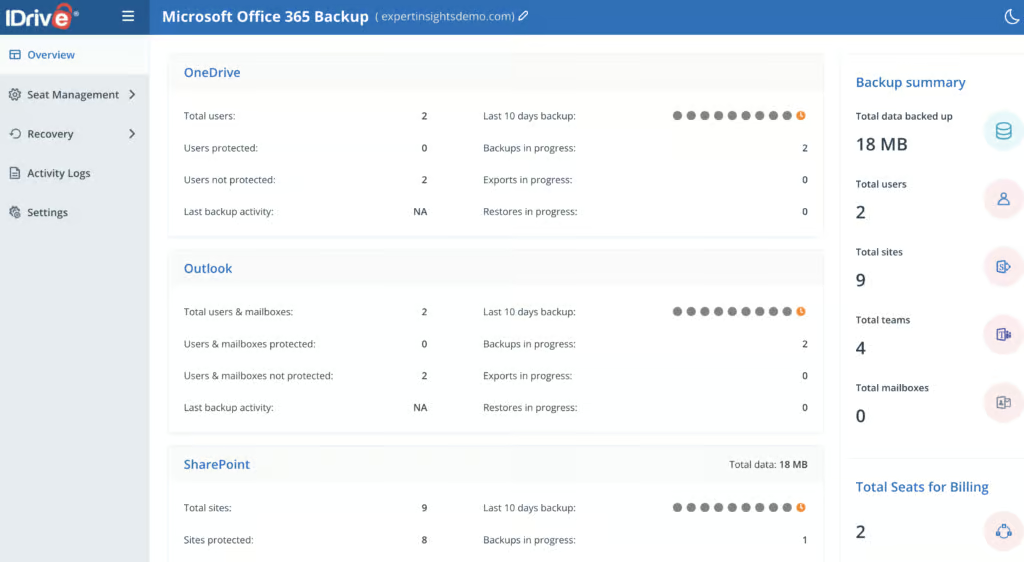
In our testing, time from initial setup to getting the first backup running was around 5 minutes. The setup steps were: click Enable on M365 backups, select a storage region, select if backing up a business or personal Microsoft account, and then grant Global Admin consent for IDrive.
No external documentation was required. We did get an error on the first attempt, but this resolved itself on the second attempt.
The first backup started at 3:27pm and completed around 5:15pm. During the initial backup, you can click into a partially backed-up user and check which items have been backed up so far. IDrive shows a timestamp for when the process started but not when it finished.
There are no real-time notifications for backup progress. The logs show when a backup started and whether it’s in progress, but there’s no indication of how far along the current task is or any estimate of completion time.
Coverage
Ranked #8 out of 12 M365 Backup Solutions for Coverage
Supported Platforms
 Exchange (Outlook) Exchange (Outlook) |
✓ |
 SharePoint SharePoint |
SharePoint sites; classic sites excluded in the reviewed account |
 OneDrive OneDrive |
OneDrive; shared folders excluded in the reviewed account |
 Teams Teams |
Limited - channel conversations backed up but can't be restored |
 Azure VMs Azure VMs |
✗ |
 Entra ID Entra ID |
Yes - paid add-on ($10/seat/year) |
 Dynamics Dynamics |
✗ |
 Power Platform Power Platform |
✗ |
IDrive covers Exchange, including shared mailboxes, OneDrive, SharePoint sites, and Teams. Users are discovered automatically.
Unlicensed accounts can be enabled for backup using a toggle, and these automatically populated when switched on.
However, there are some coverage gaps. The platform does not back up classic SharePoint sites or OneDrive shared folders, and Teams channel conversations are backed up but can’t be restored. Group mailboxes are now supported. Public Folders are excluded by default, though these can be switched on.
Public Folder backup depends on Microsoft’s Exchange Web Services (EWS), which Microsoft is set to retire in April 2027. In September 2026, IDrive added Entra ID backup for $10 per seat per year.
Retention
Ranked #9 out of 12 M365 Backup Solutions for Retention
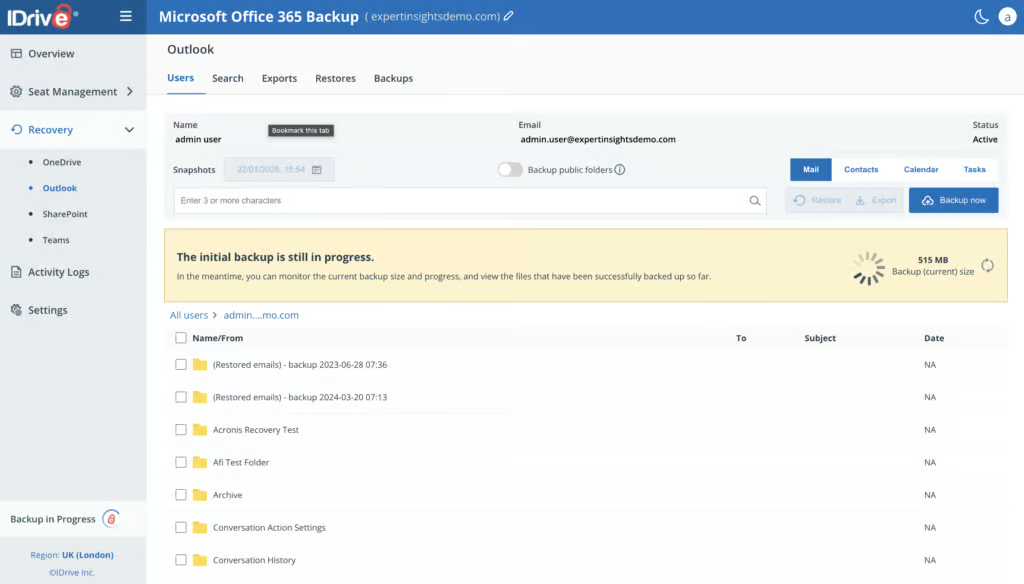
Backups run 3 times per day on a set schedule (no customization) plus can be run on demand.
Deleted M365 users have their existing backups retained by IDrive and remain restorable. Shared and unlicensed mailboxes can continue being backed up as well, they just count towards licensing.
Cross-user restores are supported, allowing data from a departed user to be restored to another account.
Retention is unlimited but cannot be changed at all. Older snapshots are thinned over time: all three daily backups are kept for 30 days, then one a day, then weekly after 90 days and monthly after a year. There are no granular retention policy options. For most small business use cases this is fine, but organizations with specific data retention requirements may find this inflexible.
Licensing is on a per-seat basis. Seats refer to active, paused, and archived users, meaning that even accounts that aren’t actively being protected can still be billed for. The IDrive portal is transparent about usage and licensing.
Recovery
Ranked #6 out of 12 M365 Backup Solutions for Recovery
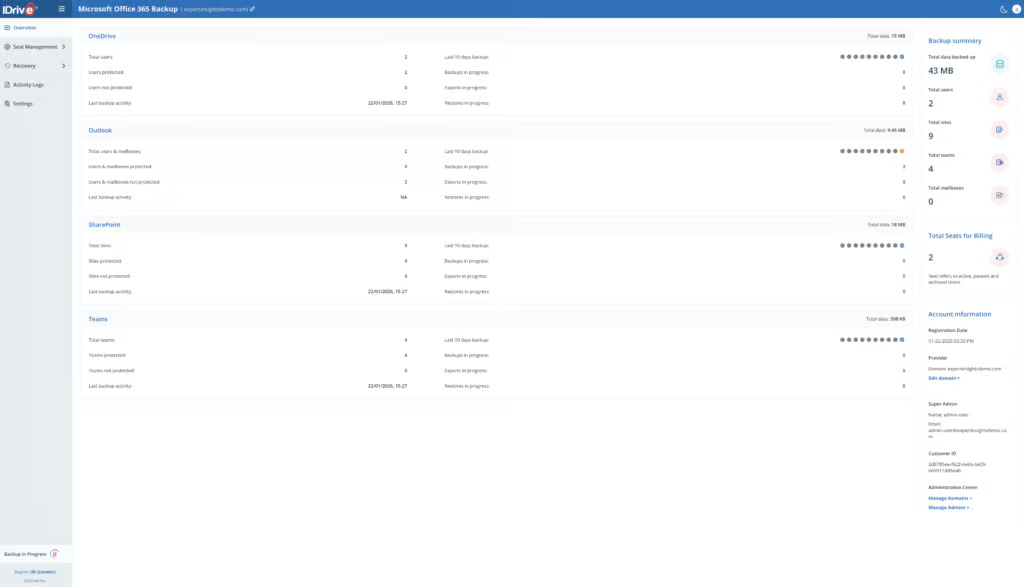
The interface has a dedicated Recovery tab with sub-sections for OneDrive, Outlook (Exchange), SharePoint, and Teams. You can either click into a seat to restore from or search for an item.
It takes around 5 clicks to initiate a full restore, and the navigation is straightforward. Restore options are clearly labelled, with support for restoring to original or alternate locations. Cross-user restores also work as expected — you can restore a departed employee’s data to another user’s mailbox.
The main gap is the lack of bulk restore capability. If you need to restore multiple mailboxes simultaneously after a widespread incident, you’ll need to do them one at a time. This is a gap shared with Spanning, SpinOne, and Afi.ai.
Search has basic parameters for keyword, seat(s), and date/time. Searching “payslip” for all users returned 24 results almost immediately, and clicking into an email search result loads a preview. However, there are no options for filtering search results beyond these basics.
This places IDrive at the weaker end of search capabilities among the products we tested. OpenText CloudAlly indexes email body content and attachments, NinjaOne supports AND/OR conditions with attachment content search, and even products with metadata-only search like Veeam, Acronis, and Hornetsecurity offer more structured filtering options.
Restoring an item for the first time required entering an emailed verification code from IDrive to verify the IP address — an unusual security check. Items can be downloaded locally in PST or MBOX format, but not exported elsewhere. There is no self-service restore for end users.
Resilience
Ranked #8 out of 12 M365 Backup Solutions for Resilience
IDrive does not support bulk restores, but point-in-time recovery is available.
You can choose a date/time snapshot to restore data from. Mailboxes must be restored one at a time — there’s no capability to bulk restore multiple mailboxes simultaneously.
This limitation is shared with Spanning, SpinOne, and Afi.ai. By contrast, Hornetsecurity, AvePoint, and Veeam all support bulk restore of multiple mailboxes simultaneously. For organizations dealing with a large-scale incident affecting many users, this limitation would significantly slow recovery efforts.
The platform does not offer ransomware or malware scanning of backup data. This is common among SMB-focused backup tools — CloudAlly, Hornetsecurity, NinjaOne, and Spanning also lack malware scanning. Among the products we tested, Acronis (as a paid add-on), AvePoint (behavior-based detection), Redstor (scanning 14 attachment types), SpinOne (continuous scanning) and Veeam (on its Advanced and Premium plans) offer varying degrees of ransomware protection within backups.
IDrive stores all backup data in its own independent data centers, completely separate from Microsoft’s Azure platform. This means that in the event of a significant Azure outage — which would take Microsoft 365 offline — your backups remain fully accessible.
This is an advantage over Veeam, which stores backups within Azure and therefore shares the same underlying infrastructure as the production M365 environment. CloudAlly (AWS), NinjaOne (AWS), and Hornetsecurity (own physical infrastructure) also maintain this separation.
Backup Health
Ranked #9 out of 12 M365 Backup Solutions for Backup Health
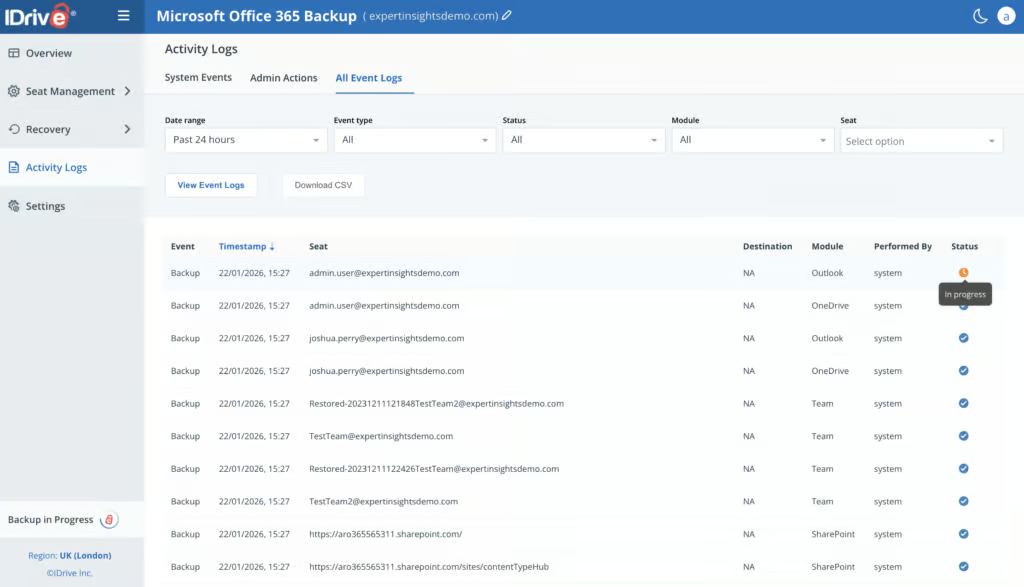
In our testing, we didn’t experience any backup failures, so we couldn’t confirm how detailed failure reporting is in practice. We can see where failures would be reported in the portal, but the platform appears to provide minimal detail as to why failures occur.
Failed backups would be shown in the Activity Logs tab. The number of failed backups is shown as a graph, and system tasks with “failed” status can be filtered for in the audit logs.
There are no real-time notifications. The most frequently admins can receive reports or notifications is on a daily basis via scheduled email.
The Overview tab lists backup stats, and the Activity Logs tab shows basic graphs, but these stats cannot be downloaded or exported. Only the actual logs are exportable as CSV.
Governance and Security
Ranked #11 out of 12 M365 Backup Solutions for Governance and Security
Admin and logging capabilities are basic and relatively limited.
There are options for “Manage Domains” and “Manage Admins” in tiny font at the bottom of the Overview tab. This would be very easy to miss. If you have multiple domains in IDrive, you can configure which users have access to which domains.
Governance Capabilities
| Public API available | ✗ |
| Multi-Tenancy | ✓ |
| Reporting / Alerts | Limited - daily scheduled email reports only, no real-time alerts |
| Automatic mailbox / site / etc onboarding | ✓ |
| Bulk enable / disable backups | ✓ |
| Self-service recovery (for end users) | ✗ |
The only permission options available are “full access” and “read only.” The only difference between these roles is the ability to manage backup seats. You can export backups even with read-only permissions, which is slightly odd from a security perspective.
The Activity Logs tab shows graphs and event logs of both admin and system activity. Audit logs can be filtered by date range, status, event type (backup, restore, export), module (Exchange, SharePoint, etc.), and seat. There is no search option. Date range for viewing audit logs goes back to “all time,” and logs can be downloaded as CSV.
Managing admin settings brings you to a portal page separate from everything else, so you can’t click back into your M365 backup account. This is a minor but still annoying usability issue.
2FA can be optionally configured in the higher-level IDrive portal. To delete backups, you have to contact support.
Compliance
| Audit Logs | ✓ |
| Data Center Regions | US, UK, Ireland, Frankfurt, Paris, Canada, Tokyo |
| Data Center Infrastructure | Independent data centers |
| Maximum retention period | Unlimited |
| Role-based access controls | Limited - full access or read-only roles only |
| Data encrypted at rest and in transit | ✓ |
| Supports bring-your-own storage | No |
| E-discovery / legal hold | No |
IDrive is SOC 2 and GDPR compliant. Storage is available in seven regions, including the US, UK, Ireland, Frankfurt, Paris, Canada and Tokyo.
Commercials
Ranked #3 out of 12 M365 Backup Solutions for Commercials
Pricing
| Free plan available | ✗ |
| Trial available | ✓ |
| Seat-based pricing option | ✓ |
| Storage-based pricing option | ✗ |
| Starting Price (user / month unless otherwise noted) | $20.00/seat/year |
| Higher Tier Pricing | Not applicable |
IDrive offers a flat pricing model at $20/seat/year or $2/seat/month, with the option to purchase up to 3 years upfront. A 25% discount is available for education.
At $2.00/user/month, IDrive is one of the most affordable solutions we tested. Veeam starts at $2.63, OpenText CloudAlly is about $2.50 ($30 per licensed mailbox per year), Hornetsecurity is $2.75, NinjaOne is $3.00, Spanning is about $4.00, and AvePoint is $4.00.
Storage is unlimited, which removes uncertainty around data growth — a significant advantage over storage-capped vendors like SpinOne (30GB or 50GB per license), Spanning (60GB pooled per license), and Afi.ai (50GB pooled per license).
However, users should be aware that any account included for backup will be billed as a seat, even if it doesn’t have a Microsoft license. To stop being billed, you’d have to remove all of the data.
IDrive allows both business and personal Microsoft accounts to be backed up on the same tenant, which is ideal for small business owners who want personal and company data protected together. Note that personal accounts can’t restore Outlook data, due to a Microsoft API limitation.
Support
| Support Locations | US, UK |
| Email support | Yes |
| Phone support | Yes |
| Chat support | Yes |
| Web support portal | Yes |
| Support hours (normal priority) | Not documented |
| First response SLA (normal priority) | Not documented |
The support team responded to our query via email within an hour with helpful information.
Editor's Score
Ranked #8 out of 12 M365 Backup Solutions for Editor's Score
The platform is best suited for small businesses already using IDrive to back up their PCs, servers, or other devices. The low price point and unlimited storage make it attractive as a value-add to an existing IDrive relationship.
However, coverage gaps and basic functionality mean it’s not the right choice for organizations with more demanding M365 backup requirements.
Who This Is For: Small businesses already using IDrive for device/server backup, or teams who want to back up business and personal Microsoft accounts together.
Who Should Look Elsewhere: Organizations requiring bulk restore capabilities for disaster recovery, or real-time backup monitoring and alerts.
Read the full review
Enter your work email to unlock the full review.
Check your email
We sent a 6-digit code to . Enter it below to continue.