
SaaSAssure Review

Tested March–April 2026. Updated October 2026.
Bottom Line
Asigra SaaSAssure is a budget-friendly backup platform from a vendor that was once a leader in managed backup services for Windows servers. However, based on our testing, Asigra has not evolved with the cloud market. While pricing is attractive at around $1.30/user/month, significant usability issues and reliability concerns make it hard for us to recommend for Microsoft 365 backup. The UI is slow, admins are locked out during restore operations, and our full mailbox restore failed after 8 hours. We cannot recommend SaaSAssure as a suitable cloud backup service for M365.
Overall Rating Summary
Read our M365 testing methodology to learn more.
Pros
- Cheapest M365 backup that we have tested
- Unlimited storage
- Works on AWS infrastructure, with bring-your-own-storage option
- Monthly billing option rather than annual contracts
- Support for incremental backup with 999 restore points
Cons
- Slow admin console with a lot of loading screens
- Admins are locked out of Exchange backups when restore jobs are running
- Full mailbox restore failed after 8 hours
- No cross-user restore or bulk mailbox restore
- No ransomware or malware scanning
- Restoring data from unlicensed users requires buying an Asigra license
Asigra was a leader in managed backup services for the Windows market. Their M365 cloud backup solution, SaaSAssure, is designed for MSPs looking for a cost-effective backup solution. Unfortunately, our review flagged some significant issues, including a slow user interface and missing functionality, that limit what could be a very effective product at a very competitive price point.
SaaSAssure released in May 2024 and is built for MSPs. It has a basic user interface designed for managing multiple clients. The service is very cost effective, with a price of around $1.30/user/month, which is the cheapest pricing of any of the M365 backup solutions we have reviewed. Unfortunately, the pricing reflects a service that is missing some features we’d hope to see even in an SMB-focused backup solution.
The user interface is very basic, and we found it to be very slow, with a significant amount of buffering and slow loading as you navigate the platform. There are limitations we haven’t experienced in other platforms, for example admins are locked out of the backup environment for a workload while a recovery was in process. We also found errors, for example one restore attempt ran for 8 hours, and then failed due to a data mismatch error.
There are benefits to the solution. It supports bring your own storage, and supports incremental data backup, with up to 999 restore points, which is helpful. There’s also a multi-admin approach to modifying or deleting cloud backups, which is a good security measure to have in place.
Asigra does also offer a broader backup suite beyond just M365. If you are a customer of Asigra’s Google Workspace, Salesforce, HubSpot or other cloud services, there may be a lot of benefit to looking at SaaSAssure to keep all of your clients’ data within one ecosystem.
The platform is very cost-effective, and doesn’t charge for storage, which may also be a strong selling point for some businesses that want a basic backup for M365, without breaking the bank.
How We Tested SaaSAssure
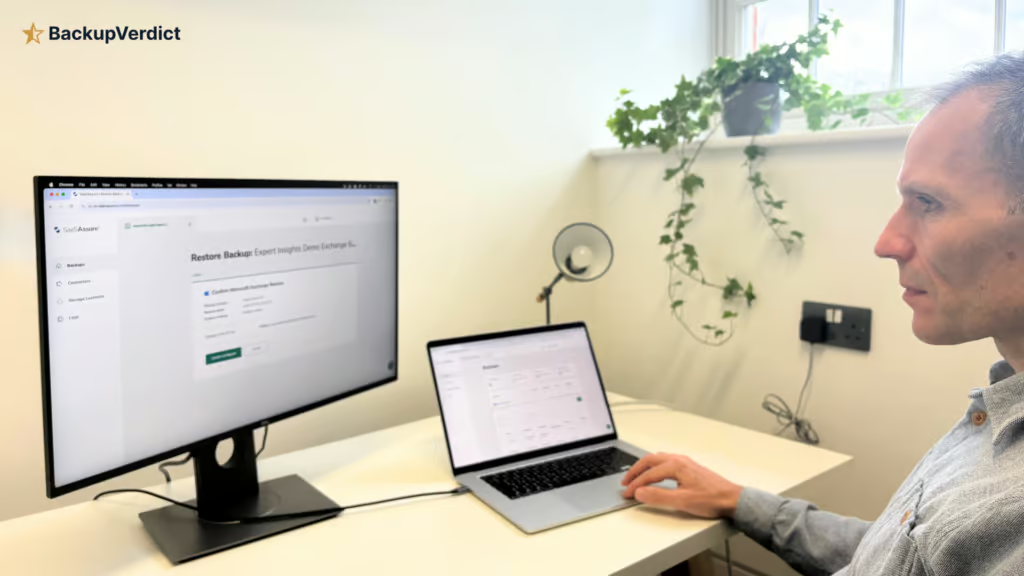
We conducted an independent review of SaaSAssure. We set up the solution on our M365 tenant and timed the time taken to get deployed. We created Azure applications and assigned the permissions for each workload.
We tested multiple recovery scenarios and timed the amount of time taken to find items, and how long the recovery process took. We ran both full mailbox restores and granular single-item recoveries. We also tested bulk recovery and resilience features.
We configured reports and admin policies. We then monitored logs and alerting to simulate regular use of the solution. We also considered pricing, and made a support request. This review was taken fully independently of Asigra. We have no commercial relationship with the vendor and this review is just our own opinion of the service after a free trial provided to us.
Deployment
Ranked #12 out of 12 M365 Backup Solutions for Deployment
Deployment Options
| SaaS | ✓ |
| On-premises (for Microsoft services like Exchange, Active Directory, etc.) | ✗ |
| Hybrid cloud | ✗ |
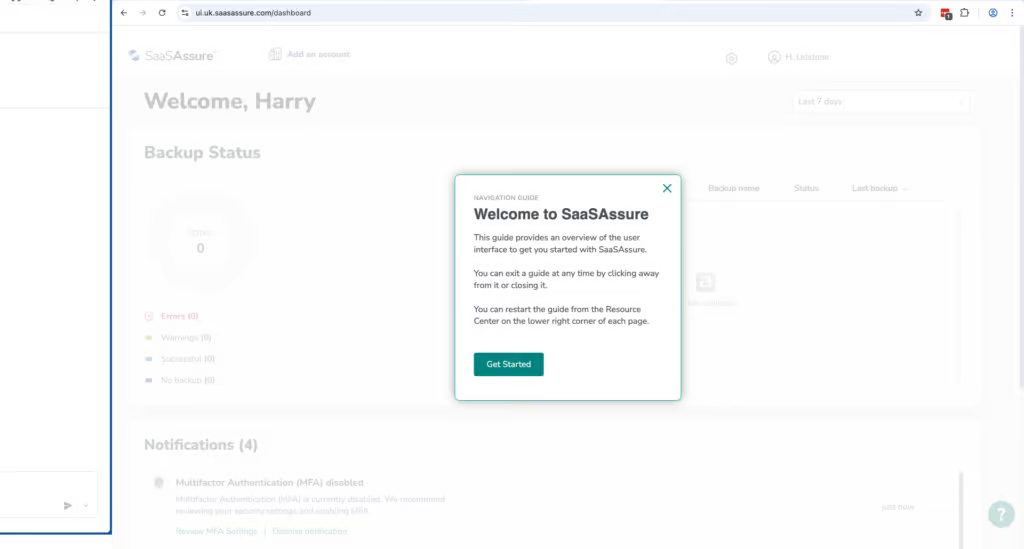
We found deploying SaaSAssure to be more difficult than we expected. The user interface is slow, with a lot of loading every time an admin action is performed. We found there could be a 5-15 second lag on some actions.
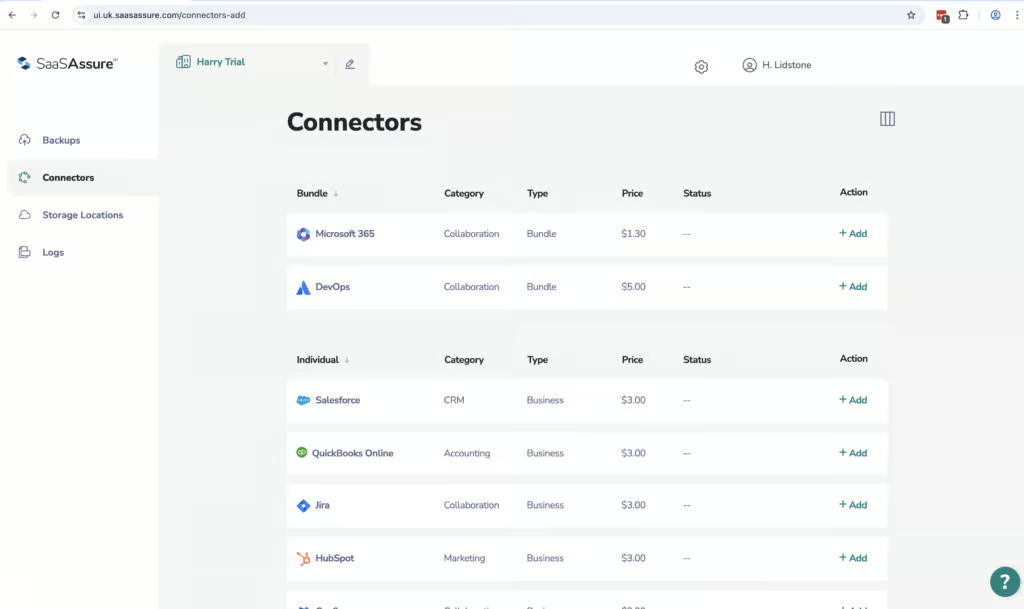
Deployment took around an hour to complete, and was slightly complex compared to standard M365 backup onboarding. Unlike most solutions that use a single OAuth consent flow, SaaSAssure requires admin permissions to be assigned when you connect the backup tasks via connectors. We then had to create a client secret, enter our Tenant ID and Application ID, then assign permissions manually for each workload.
We needed to use SaaSAssure’s documentation throughout the process to avoid errors.
We found adding SharePoint to be particularly tricky. You have to be a global admin, SharePoint admin, or site admin to add the SharePoint domain. So to back up any SharePoint site, the user must be a site admin for that site. Otherwise, the system will skip it.
We kept running into an error where SharePoint showed as configured, but attempting to create a backup task then triggered an error. We actually couldn’t end up getting SharePoint backups working effectively even at the time of writing up this review.
However, we’ve since found Asigra’s May 2026 release (1.0.5.0) automatically assigns Site Admin rights on selected SharePoint sites and adds granular SharePoint restore, which should address this issue.
Once you are up and running, and you only need to get up and running once, backups are quick and only took minutes to complete. However, it’s kind of hard to see whether a backup is in progress. You have to click into the backup task and you can’t view backup progress in the activity logs.
Coverage
Ranked #12 out of 12 M365 Backup Solutions for Coverage
Supported Platforms
 Exchange (Outlook) Exchange (Outlook) |
✓ |
 SharePoint SharePoint |
✓ |
 OneDrive OneDrive |
✓ |
 Teams Teams |
Teams coverage excludes notes and calendar groups in the April 2026 test |
 Azure VMs Azure VMs |
✗ |
 Entra ID Entra ID |
✗ |
 Dynamics Dynamics |
✗ |
 Power Platform Power Platform |
✗ |
SaaSAssure covers Exchange Online, SharePoint Online, OneDrive for Business, and Microsoft Teams. The service does also discover items, but only for domain level backups, which must be set up separately.
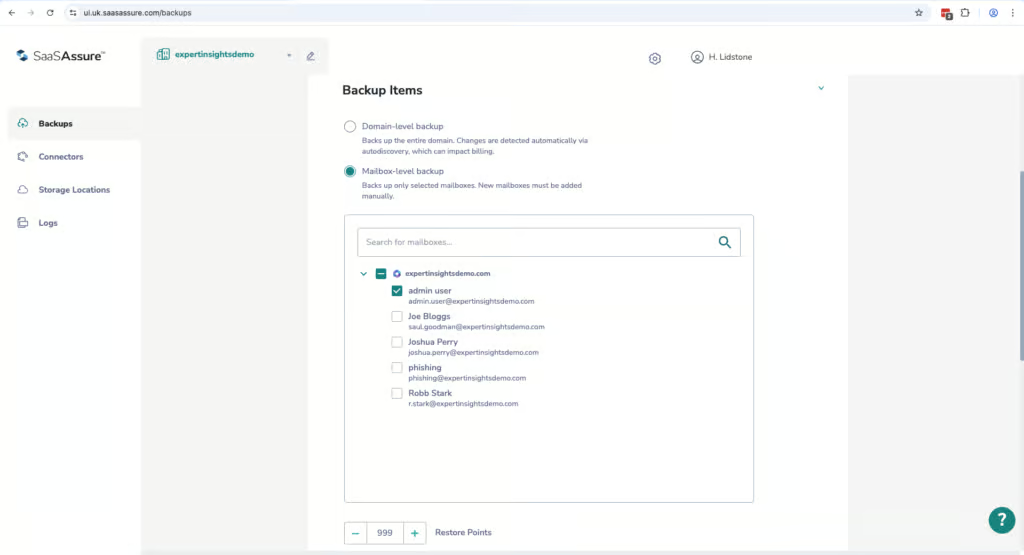
For mailbox level backups, you have to manually add new mailboxes, which is a bit of an ongoing admin workload with SaaSAssure.
If you look at the Asigra documentation, it will tell you that unlicensed user mailboxes look like they’re backed up, but they’re not. Archive mailboxes are also not backed up. So although it looks like they are in the system, be aware they are not.
SaaSAssure does cover Microsoft Teams, but not the entire application. Certain items within Teams such as notes and calendar groups are not covered. And setting up Teams is different from setting up other workloads like Exchange Online, OneDrive, and SharePoint.
Retention
Ranked #12 out of 12 M365 Backup Solutions for Retention
With SaaSAssure, users are billed on a per licensed basis. When a licensed mailbox becomes unlicensed, it’s not initially clear what happens to the backups for those accounts.
Asigra confirmed to us that unlicensed users aren’t billed while their backups are retained, but you’ll need to buy a license to recover any of their data.
You can configure retention policies in SaaSAssure. These are based on the number of restore points that you need to keep rather than the time duration. You can choose up to 999 restore points using incremental backup.
You cannot restore data from one user to another. So if an employee leaves your organization, you cannot transfer their mailbox into another user’s mailbox, which is a bit of a limitation for HR, finance, or legal teams where if an employee leaves, you want another employee to be able to pick up their workload.
We were unable to set policies for retention that were different by group or workload. And we couldn’t figure out how retention limits could be changed as we were unable to find documentation for these areas.
Recovery
Ranked #12 out of 12 M365 Backup Solutions for Recovery
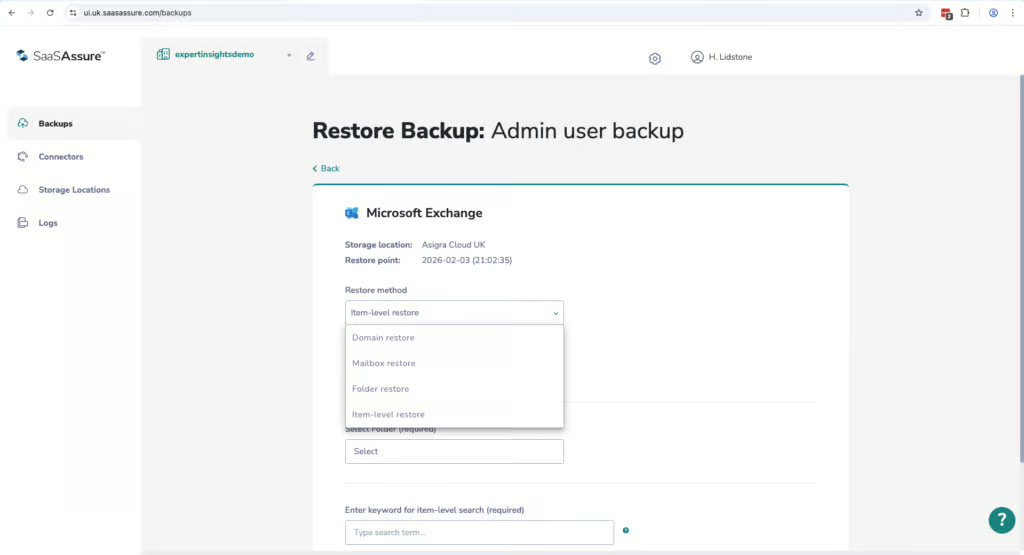
When recovering an item, it’s fairly easy to find a mailbox and restore it. But the user interface is the biggest challenge. There’s noticeable buffering for every click or every action. The user interface is slow, and it makes navigating the system and performing even a simple restore quite tricky.
We also found that when a restore job is in process, admins are locked out of the workload until the restore is completed. This is not something that we’ve seen in any other backup solution.
So we ran a mailbox restore, which took approximately 8 hours, during which time we couldn’t access the Exchange backup admin console. The restore ended up failing due to a data mismatch error. And it makes it tricky if you need to perform other tasks or solve issues at the same time.
Just for a comparison across other backup solutions, using OpenText CloudAlly, we restored a similar sized mailbox, 3.8 gigabytes, in under an hour. Veeam completed a full restore in just under 2 hours. And most other products we’ve tested had no failures when we restored mailboxes.
There are some limitations when it comes to recovery as well. You can only restore mailboxes to the same mailbox. You can’t restore a single mailbox to a different user. If the mailbox has more than 150,000 items, it can fail, and if a user deletes an item, it will be removed from incremental backups, even if that item existed when the backup was originally taken.
There is a granular restore feature. You can search by domain, mailbox folder, or by specific items. You can’t search across all mailboxes, but it is rare to see that feature. Acronis and Hornetsecurity also don’t offer searching across the entire tenant. You can only search by individual mailboxes. Although some solutions do — CloudAlly does index email body content and attachments, and NinjaOne offers attachment content search.
SaaSAssure’s own keyword search is fast once it gets started, but again, the user interface and loading the different screens is slow. You can’t choose a custom destination for individual items, which means it can be hard to find content that you’ve restored.
SaaSAssure does have a granular search feature within selected SharePoint folders and you can search for deleted items. You can easily find a specific site and folder. You can search by file name, owner, or created by date, and you can choose to restore items to their original location, a new site, or even as a zip export.
Resilience
Ranked #12 out of 12 M365 Backup Solutions for Resilience
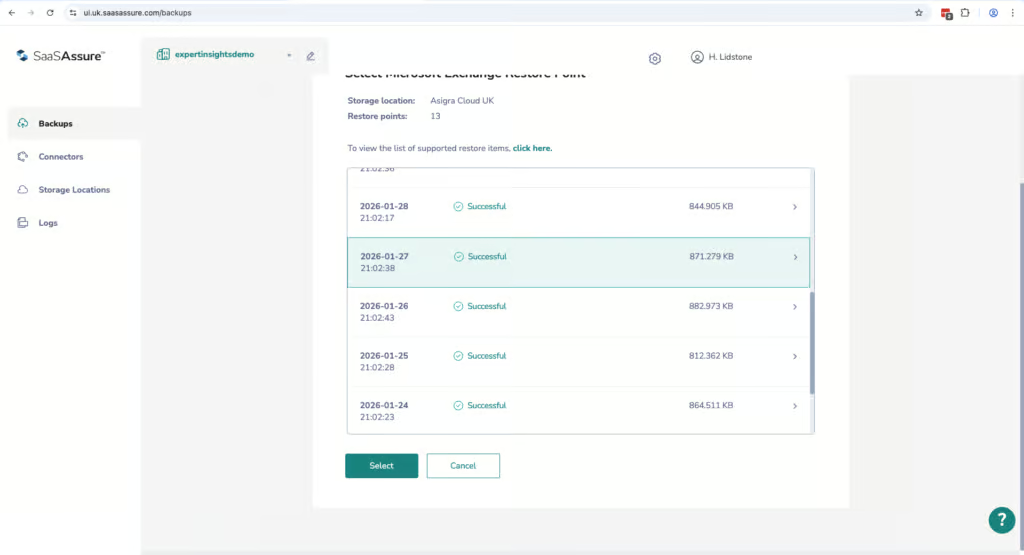
SaaSAssure offers a domain level bulk restore, which restores all of the content on your tenant. But there’s no way to select multiple individual mailboxes and restore just those. It’s everything or nothing.
By contrast, other backup solutions like Hornetsecurity, AvePoint, and Veeam all do support bulk restore of multiple mailboxes simultaneously.
SaaSAssure does not offer ransomware or malware scanning. This isn’t uncommon among the SMB focused backup tools. CloudAlly, Hornetsecurity, NinjaOne, Spanning, and iDrive also don’t offer malware scanning. But the more enterprise products that we’ve tested, like AvePoint, Redstor, Acronis, and Veeam (on its Advanced and Premium plans), do offer ransomware scanning.
There is a point in time recovery option, but we found this very difficult to use due to the UI performance issues and system lockouts.
There is a strong admin feature referred to as the multi-person approval system or MPA. This means that you need multiple admins to authorize and approve deleting any backups, which is a good security measure to have. However, this feature is not switched on out of the box, so this is something we highly recommend switching on.
SaaSAssure stores all of its data on AWS, which is a positive. The data is not stored on Microsoft Azure, which means that if Microsoft Azure goes down, Microsoft 365 would be offline, but you’d still be able to access your data from SaaSAssure. SaaSAssure also offers bring your own S3 compatible storage, which is very positive and means that you can have control over where your own data sits.
Backup Health
Ranked #12 out of 12 M365 Backup Solutions for Backup Health
When testing SaaSAssure, we found that when there was an error in backup, we got email alerts. The email included an attachment with a breakdown of the reason why the backup failed. However, we found this wasn’t particularly helpful and it still took quite a bit of time to analyze, find, and fix the issue.
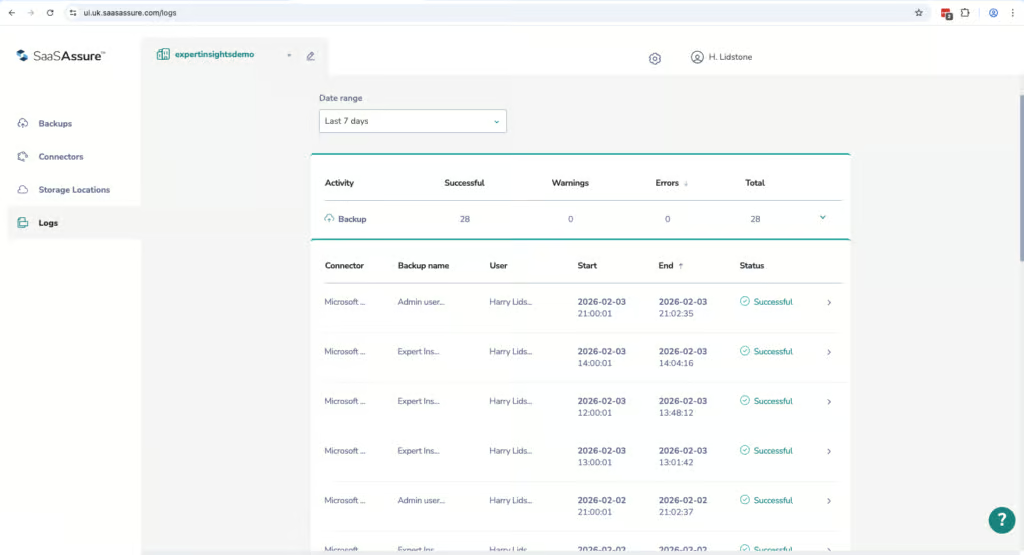
We tested some backups that were given a warning, but we didn’t quite know why the warning was given. We conducted a domain wide backup that had 3 warnings, but completed successfully. And we couldn’t really figure out why the warnings were given or drill down and find and fix the issue. We ended up finding a bit more information in the logs section.
The logs can be viewed in the admin console, but they can’t be exported. And again, the user interface is very slow when navigating to the logs. There’s buffering and delay as you click through and load logs in the admin console.
There are 3 types of reports available in SaaSAssure. There’s a report on failed backups, restores, and exports. There’s no ability to schedule reports. The reports are only really for seeing high level success and failure information, and there’s no admin logs or reporting on admin actions. We did find the reporting lacks some of the depth and customization that we’ve seen from other solutions, and it would be good to see more detail included in SaaSAssure’s reports.
Governance and Security
Ranked #12 out of 12 M365 Backup Solutions for Governance and Security
SaaSAssure’s logs are clear and they do show restores, backups, and admin actions. However, there isn’t much to see beyond that. There’s also limited filters and customization. You can only filter the date range and there’s no search capability for the logging.
Governance Capabilities
| Public API available | ✗ |
| Multi-Tenancy | ✓ |
| Reporting / Alerts | ✓ |
| Automatic mailbox / site / etc onboarding | Limited - auto-discovery for domain-level backups only; new mailboxes added manually for mailbox-level backups |
| Bulk enable / disable backups | ✗ |
| Self-service recovery (for end users) | ✗ |
You can view audit logs for backup, restore, delete, and exporting activities. You can go back through several years, which is good. But the process of looking through these logs is, again, challenging due to the user interface and the buffering that we kept experiencing when conducting our review.
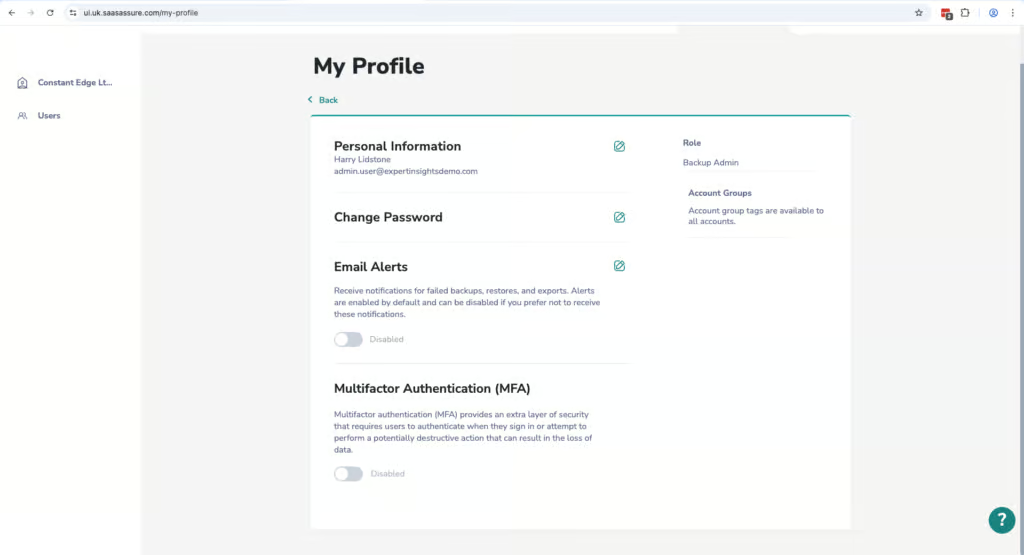
There are 3 types of admin roles in the system. Global admin, account admin, and backup admin. This structure makes a lot of sense for MSPs. But there’s no granularity or role-based access controls outside of these 3 admin levels.
As we’ve already mentioned, there’s a strong approval system requiring multiple admins to approve any backups being deleted. But this isn’t enabled by default. So again, we highly recommend switching on this feature.
Compliance
| Audit Logs | ✓ |
| Data Center Regions | US, UK |
| Data Center Infrastructure | AWS |
| Maximum retention period | Up to 999 restore points (not time-based) |
| Role-based access controls | Limited - three fixed admin roles (global, account, backup admin) |
| Data encrypted at rest and in transit | ✓ |
| Supports bring-your-own storage | Yes |
| E-discovery / legal hold | No |
There’s very little visibility into security related events specifically. There’s no audit logs for authentication activity, admin access, and there’s no way to review historical logins on the platform. This could make it difficult to monitor unauthorized access into the backup solution.
Backups are encrypted with AES-256. You can’t bring your own encryption keys.
Commercials
Ranked #5 out of 12 M365 Backup Solutions for Commercials
Pricing
| Free plan available | ✗ |
| Trial available | ✓ |
| Seat-based pricing option | ✓ |
| Storage-based pricing option | ✗ |
| Starting Price (user / month unless otherwise noted) | $1.30 |
| Higher Tier Pricing | — |
Pricing is one of the strongest points of SaaSAssure. The pricing is very clear and there’s a lot of flexible options around storage. The solution costs $1.30 per licensed user, which makes SaaSAssure the cheapest solution that we’ve reviewed by quite a significant margin. iDrive is the next most affordable option, costing $2 per user per month, followed by CloudAlly at $30 per licensed mailbox per year (about $2.50 per month) and Veeam from $2.63 per user per month. NinjaOne is $3 per user per month.
Pricing is based on the average of monthly protected users on the account and storage is unlimited using Asigra’s own AWS infrastructure. There’s a monthly billing option, which also lowers the barrier to entry for smaller companies, as you don’t need to pay for everything up front or sign an annual contract.
The pricing looks very good on paper, but when comparing with other solutions, there are significant usability issues and missing enterprise features that most organizations could require for M365 backups, such as cross-user restore and audit logs for security use cases.
Support
| Support Locations | Not public |
| Email support | Yes |
| Phone support | Yes |
| Chat support | Limited (chatbot) |
| Web support portal | Yes |
| Support hours (normal priority) | Business hours (US EST & CET) |
| First response SLA (normal priority) | 24 hours |
On the plus side, inactive and unlicensed users aren’t billed while their backups are retained, though you’ll need to buy a license to recover any of their data. We found support responsiveness was good. We went through the support bot to raise a request and we got a response pretty quickly that answered our question well.
Editor's Score
Ranked #12 out of 12 M365 Backup Solutions for Editor's Score
Taking everything in this review into account, we think this is a product that’s fallen behind the market. Asigra is a credible vendor and was once a leader in managed backup services. But we found that the M365 platform just doesn’t offer the same level of features as other solutions that we’ve reviewed.
Add to that, the UI we found to be very slow with a lot of buffering on every action. There are small issues that add up, such as admins being locked out of performing new backup restores until the backup that is currently running has been completed. And the fact that we had a full mailbox restore that failed after 8 hours.
Due to these issues, despite the positive pricing and the strong features like bring your own storage support, we cannot currently recommend SaaSAssure as a suitable cloud backup service for M365.
If you are an MSP that already uses Asigra for other services, then maybe there’s an argument to use this solution for M365 as well. But most organizations that are looking for a new solution are probably best off looking elsewhere.
Who This Is For: MSPs already integrated into the Asigra ecosystem, and organizations looking for the most cost-effective backup solution on the market.
Who Should Look Elsewhere: Organizations looking for the ability to perform multiple recoveries at once, teams that need bulk recovery and cross-user restore, teams looking for detailed compliance reports.
Read the full review
Enter your work email to unlock the full review.
Check your email
We sent a 6-digit code to . Enter it below to continue.