
Afi Backup for Google Workspace Review

Tested March–April 2026. Updated October 2026.
The Bottom Line
Afi.ai is a capable Google Workspace backup solution with easy deployment and broad coverage including Google Groups and Directory. The platform offers heuristics-based ransomware detection and provides customizable retention policies that can be assigned to different users and resources. Afi is best suited for teams that want granular backup policies and ransomware detection.
Overall Rating Summary
Read our Google Workspace testing methodology to learn more.
Pros
- Easy deployment in approximately five minutes
- Broad coverage including Google Groups and Directory
- Heuristics-based ransomware detection
- Fully customizable retention policies
- Suspended users are not billed
- All Gmail, Drive, Contacts, and Calendar data can be restored together
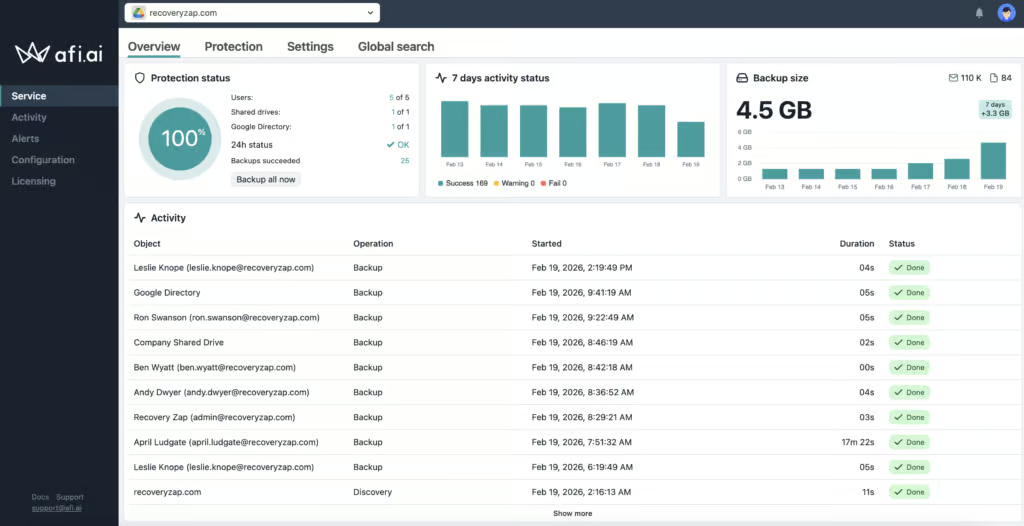
- Clear backup health dashboard
- Google Classroom backup included at no extra cost
Cons
- Interface is not always intuitive
- No bulk recovery of multiple users
- No Google Forms backup
- Reporting could be more granular and customizable
- Support only available via online channels during business hours
Afi.ai provides coverage for Gmail, Google Drive, Shared Drives, Contacts, and Calendar. Google Groups and Directory information can also be backed up, which are uncommon but welcome additions. Chat backup is not available out of the box but can be configured through the Google Admin Console, though the manual configuration process can be tricky.
The platform is best described as technically capable but not always user-friendly. Recovery works reliably, the retention model is flexible, and the ransomware detection capability adds a layer of security that many competitors lack. However, key functionality is not always easy to find. We thought it would be tough for a non-technical team to manage this platform.
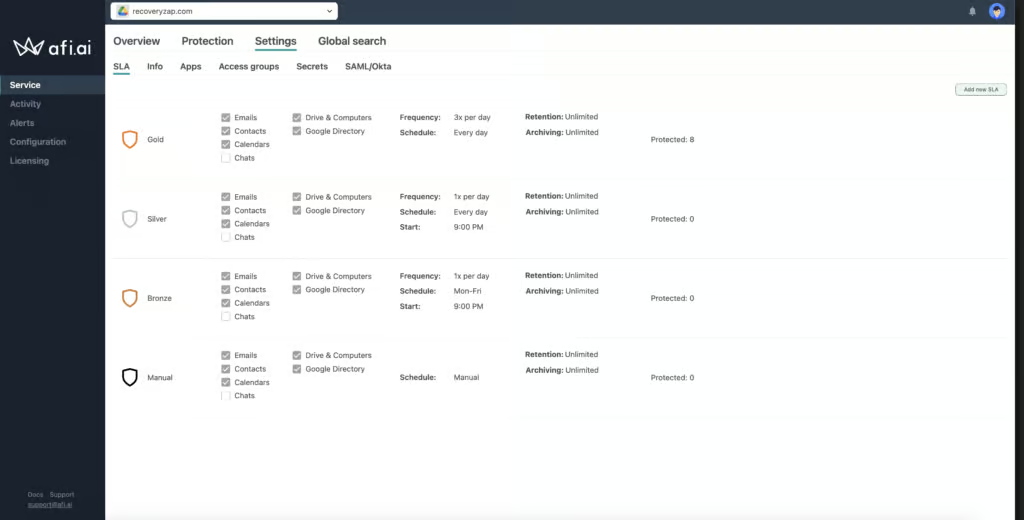
Backup policies (Afi calls them SLAs) are highly granular and can be assigned to different users, sites, and resources. Backups can run up to three times per day. The initial backups completed in approximately 45 minutes after setup.
How We Tested Afi.ai
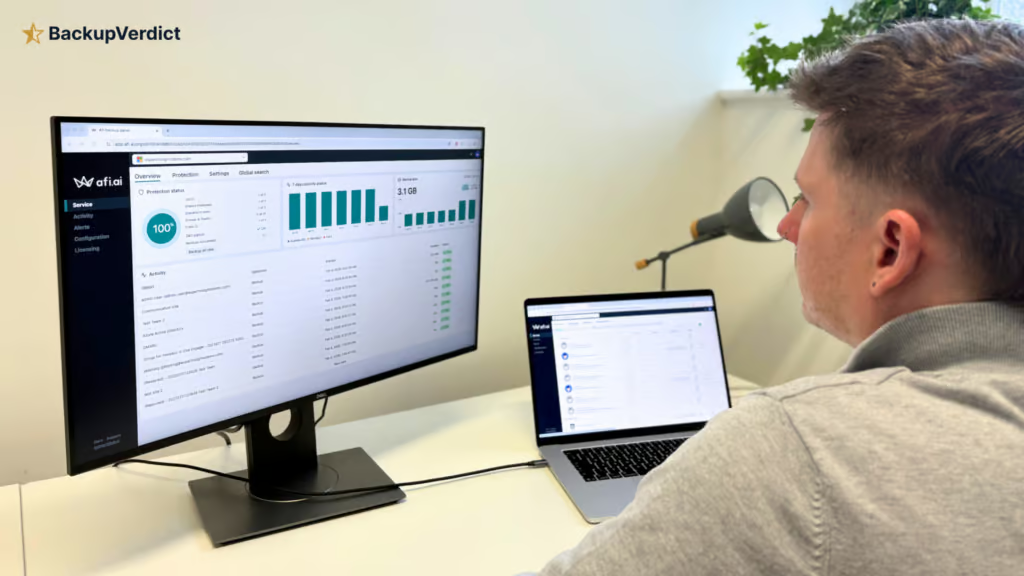
We applied a standard testing methodology across all vendors. We looked at deployment, data coverage, retention policies, recovery capabilities, resilience, backup health monitoring, governance and security controls, commercial considerations, and an overall editorial verdict.
We timed deployment, time taken to back up and full mailbox snapshot restores (cross-user and same-user). We also ran single-item restores, and tested search functionality.
All testing was conducted in a dedicated Google Workspace environment with the following configuration:
- Domain: recoveryzap.com
- Licensed users: 6 (5 active, 1 suspended)
- Approximate data volume: ~10 GB across Gmail, Drive, and Shared Drives
- Workloads tested: Gmail, Google Drive, Shared Drives, Calendar, Contacts
- Platform tested: Afi
The same environment and data set was used for all 11 vendors to ensure a fair, like-for-like comparison. You can read our full testing methodology here.
Deployment
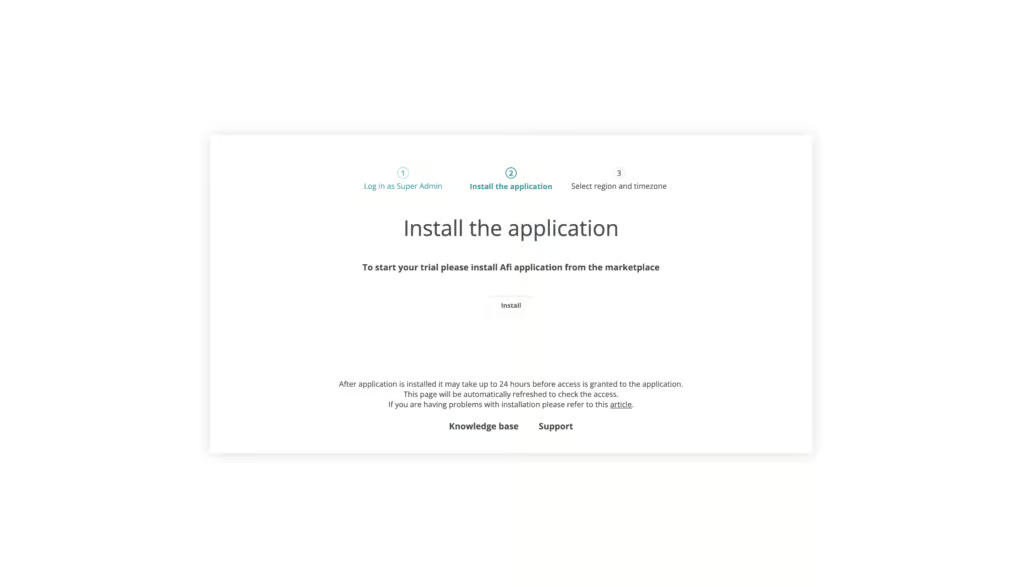
Setting up a Google Workspace backup on Afi was straightforward and followed a simple three-step process: sign in with Google, install the Marketplace application, and choose a data residency option. The initial setup took approximately five minutes.
Afi provides setup guidance via email once initial resource discovery is complete. Backup policies must be manually created or assigned during setup.
Afi refers to policies as SLAs. These are highly granular and can be assigned to different users, sites, and resources. Backups can run up to three times per day.
All initial backups finished after about 45 minutes, which is a reasonable timeframe for the data volume in our testing environment.
Coverage
Workloads Covered
| Gmail | ✓ |
| Drive | ✓ |
| Calendar | ✓ |
| Contacts | ✓ |
| Shared Drives | ✓ |
| Sites | ✗ |
| Chats / Hangouts | ✓ |
| Classroom | ✓ |
Afi covers Gmail, Google Drive, Shared Drives, Contacts, and Calendar. Google Groups and Directory information can also be backed up, which we don’t often see. This covers group records and memberships, not Google Groups conversations. Afi also now documents Google Classroom backup and recovery, included in all Google Workspace subscriptions; we haven't tested this yet.
Google Chats can be backed up but must be configured via the Google API, which is a more complicated deployment process.
Google Forms are not supported. Afi does offer Google Sites support according to the documentation, but we couldn’t find this option in our testing.
Retention
Afi offers strong retention controls. If you delete or suspend a Google user, their data is still archived and Afi does not charge for these users. Data from deleted or suspended Google users is archived. Suspended users appear as greyed out with a notification that they are suspended in Google Workspace. No new backups can run for inactive users because Google API access is disabled, but existing data is retained.
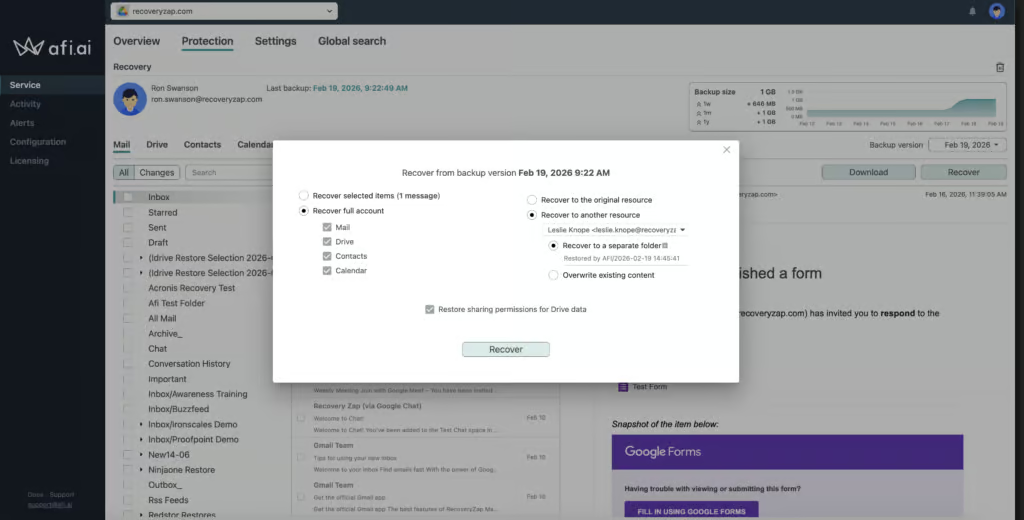
Cross-user restore is also supported. During testing, we suspended a user’s mailbox and successfully restored their data to another user. The restore completed almost instantly, but it was a small amount of data.
Different retention policies can be assigned to different resources and are fully customizable. Retention is unlimited by default. This flexibility is comparable to products like AvePoint and Druva and so Afi ranks as one of the stronger options for retention management.
Recovery
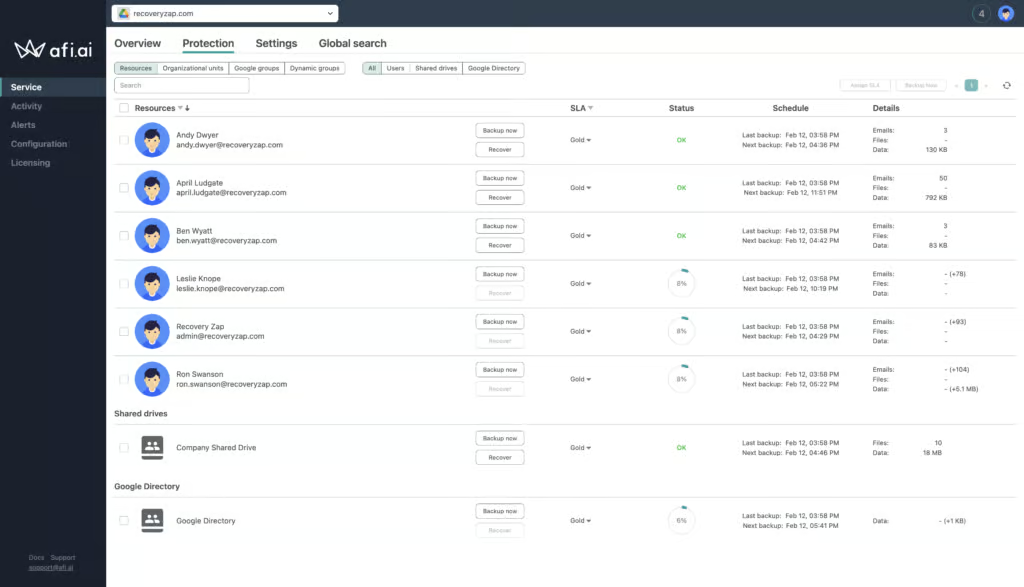
Performing a restore is straightforward. Restoring an entire 752 MB Google Workspace account (19k emails, Drive, Contacts, Calendar) to a new mailbox took 3 hours and 43 minutes.
Within the admin console, the Activity tab clearly shows the current level of progress and timestamps throughout the process. Data begins populating in Google Workspace as the restore job is running.
One useful feature is that all of a user’s Gmail, Drive, Contacts, and Calendar data from a given snapshot can be restored together at once.
Search functionality makes Afi very good at restoring specific items. You can filter searches by workload (email, chats, etc.), or by group, (entire domain, Google group, etc.).
Resilience
Afi supports heuristics-based ransomware detection which picks up indicators of ransomware. This is a real strength when it comes to resilience. We were unable to test this in practice, but the capability is documented.
Afi also supports immutable backups, with a lockdown mode that can restrict destructive actions.
However, there are some areas where Afi could develop resilience further. For example, there is no way to start a bulk recovery of multiple users simultaneously, which is a limitation during a widespread incident.
Afi supports emergency access for admins from outside your Google Workspace tenant, and SAML/Okta single sign-on that doesn't rely on Google, so losing Google admin access needn't lock you out of your backups.
Backup Health
Afi provides good visibility into backup health. The dashboard and activity logs provide a clear view demonstrating which backups were successful, had warnings, or failed.
These logs can be filtered by status to isolate failures. Admins can set up email alerts either on a set schedule or when something goes wrong.
Reporting capabilities are somewhat limited however, lacking the granularity of data and customization offered by products like AvePoint or SpinOne.
Overall, backup health monitoring is functional and provides the essential information needed for day-to-day administration.
Governance and Security
| Public API available | ✓ |
| Multi-Tenancy | ✓ |
| Reporting / Alerts | ✓ |
| Automatic mailbox / site / etc onboarding | Available through configured Google Group or OU auto-protection rules |
| Bulk enable / disable backups | ✓ |
| Self-service recovery | ✓ |
| Audit Logs | ✓ |
| Role-based access controls | ✓ |
| Data encrypted at rest and in transit | ✓ |
| Supports bring-your-own storage | ✗ |
| E-discovery / legal hold | ✗ |
| Data Center Regions | US, UK, EU, Germany, Switzerland, Canada, AU |
| Data Center Infrastructure | Google Cloud Platform |
| Maximum retention period | Unlimited |
Afi provides essential governance information with audit logs that cover admin activity. These are kept for 3 years and can be exported as a CSV, but the presentation could be clearer.
You can either use Google Groups to create access policies or specify users directly within Afi.
Admins can build Access Groups which specify different permissions for groups of users.
You can enforce Okta or SAML SSO authentication for an extra layer of security when accessing the admin console.
Afi.ai is SOC 2 Type II certified (its Google Cloud hosting holds ISO 27001), GDPR compliant, and uses AES-256 encryption for data at rest and in transit. Afi also supports BYOK (Bring Your Own Key) encryption.
Data residency options include the US, UK, EU, Germany, Switzerland, Canada, and Australia, with all backup data stored in Google Cloud data centers.
Overall, the governance implementation is solid and covers the essentials, though the UI could be more intuitive in how it surfaces audit information.
Commercials
Pricing
| Free plan available | ✗ |
| Trial available | ✓ |
| Seat-based pricing option | ✓ |
| Storage-based pricing option | Protected-user licensing with pooled storage; custom Shared Drive-heavy plans are quoted |
| Starting Price (user / month unless otherwise noted) | $3.00/user/month ($36/user/year, from 5 users) |
| Higher Tier Pricing | Custom quote - discounts for volume, education, and nonprofits |
Afi has a straightforward pricing and licensing structure, which is positive. SaaS Backup costs $36 per user per year, starting from five users, with custom pricing for larger deployments. Storage is not unlimited however, so it’s important to keep track of your usage to avoid any interruptions in backup.
Support is available via online channels during business hours. Afi told us phone support is only available for customers spending $60,000 or more per year. If your team operates across multiple time zones or needs out-of-hours assistance, this is something to consider; CloudAlly, for example, offers 24/7 live chat.
Support
| Email support | ✓ |
| Phone support | Limited - only for customers spending $60,000+ per year |
| Chat support | ✗ |
| Web support portal | ✓ |
| Support hours (normal priority) | Business hours |
| First response SLA (normal priority) | 4 hours |
Editor's Score
Afi.ai is a technically capable product with strong coverage, flexible retention, and the added benefit of ransomware detection. The ability to back up Google Groups and Directory information sets it apart from most competitors, and the SLA-based backup policy model provides granular control over how different resources are protected.
The product is held back by its interface, which requires more effort to navigate than it should. Key functionality is not always obvious, and the reporting capabilities lack depth. On the technical side, Afi is also lacking support for bulk recovery.
Afi has an unclear ownership structure, with $700K seed funding raised in 2015. During our vendor feedback call, we raised questions about ownership, funding history, and team size, but we did not feel these were fully answered. Understanding the company's scale and backing is important given that backup vendors have access to an organization's entire Google Workspace environment.
Overall, we’d recommend Afi for teams that want granular backup policies and ransomware detection.
Who this is for: Technically inclined teams that want granular backup policies, ransomware detection, and broader coverage including Google Groups and Directory. Best suited for organizations comfortable navigating a more complex interface in exchange for deeper functionality.
Who should look elsewhere: Non-technical teams needing 24/7 support should consider CloudAlly, and organizations needing bulk recovery capabilities should consider AvePoint.
Read the full review
Enter your work email to unlock the full review.
Check your email
We sent a 6-digit code to . Enter it below to continue.