
IDrive Google Workspace Backup Review

Tested March–April 2026. Updated October 2026.
The Bottom Line
IDrive is a low-cost, lightweight Google Workspace backup platform aimed at the SMB end of the market, covering the essential workloads with three automatic backups a day. Pricing is a flat $20 per billable seat per year with a generous 10 TB of storage per seat included. It is best suited to small businesses and sole operators who want backup that just works in the background, and a weaker fit for organizations that need granular admin controls or bulk recovery.
Overall Rating Summary
Read our Google Workspace testing methodology to learn more.
Pros
- Extremely easy to deploy
- Affordable flat pricing at $20 per user per year with 10 TB storage per seat
- Covers Gmail, Drive, Shared Drives, Contacts, Calendar, Classroom, and Forms
- Backups run three times per day with on-demand option
- Supports both business and personal Google accounts on the same tenant
- Single-item search is relatively quick
- 25% discount for educational institutions
Cons
- No real-time notification when restore jobs fail
- Basic admin and governance capabilities
- No self-service restore for end users
- No ransomware or malware scanning
- No bulk restore – each workload (Gmail, Drive, etc.) must be restored separately
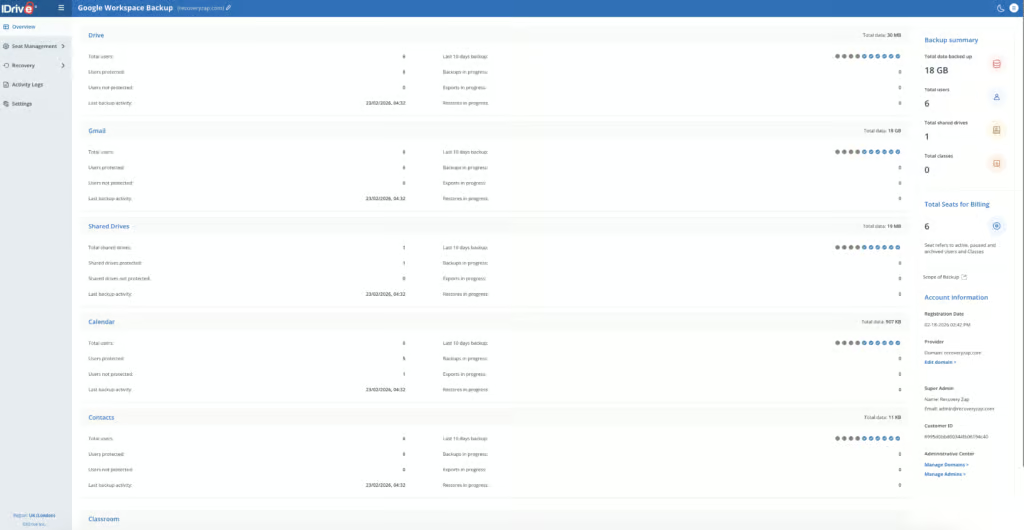
IDrive is a backup platform focused on the SMB market. It covers the essential Google Workspace workloads: Gmail, Drive, Shared Drives, Calendar, Contacts, and Classroom.
Deployment was very simple. The entire setup involved choosing a data storage region, installing the Google Marketplace app, and accepting permissions. A non-technical user could easily get IDrive up and running. Backups run three times per day and can also be triggered on demand.
Recovery is basic: each workload has to be restored separately and there is no bulk restore. IDrive moved Google Workspace backup to a new account platform in September 2026. We have yet to test this, so will update this section after retesting.
IDrive offers both a personal and enterprise backup platform, and one advantage of this platform is that it allows both business and personal Google accounts to be backed up on the same tenant. This is very helpful for small businesses or sole business owners who want to consolidate their backups in one place.
How We Tested IDrive
We applied a standard testing methodology across all vendors. We looked at deployment, data coverage, retention policies, recovery capabilities, resilience, backup health monitoring, governance and security controls, commercial considerations, and an overall editorial verdict.
We timed deployment, time taken to backup, and full mailbox snapshot restores (cross-user and same-user). We also ran single-item restores and tested search functionality.
All testing was conducted in a dedicated Google Workspace environment with the following configuration:
- Domain: recoveryzap.com
- Licensed users: 6 (5 active, 1 suspended)
- Approximate data volume: ~10 GB across Gmail, Drive, and Shared Drives
- Workloads tested: Gmail, Google Drive, Shared Drives, Calendar, Contacts, Classroom
- Platform tested: IDrive
The same environment and data set was used for all 11 vendors to ensure a fair, like-for-like comparison. You can read our full testing methodology here.
Deployment
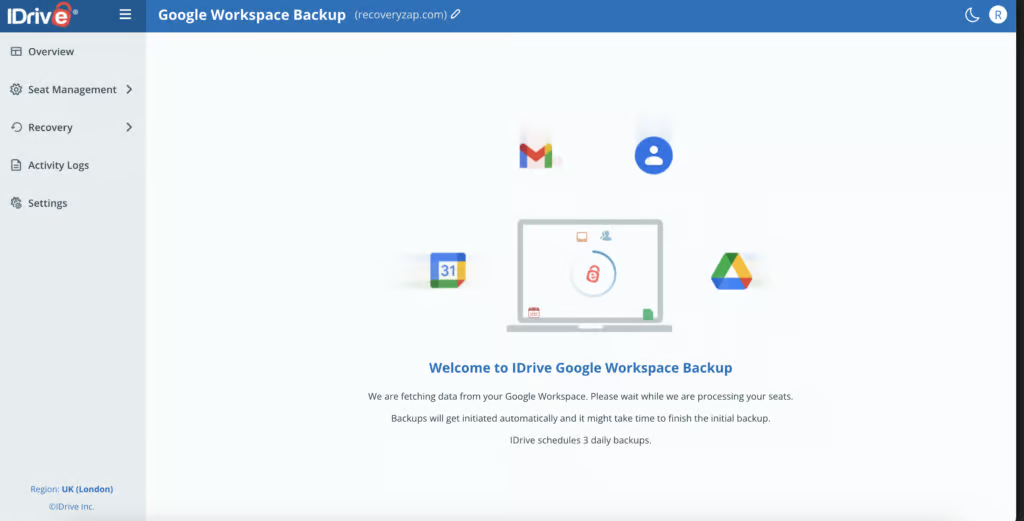
IDrive was one of the easiest products to deploy, alongside CloudAlly. The entire setup involved choosing a data storage region, installing the Google Marketplace app, and accepting permissions. It took less than five minutes in total.
After connecting the Google account, the initial backup began running immediately. All users and Shared Drives were automatically discovered, and new Google Workspace accounts are auto added by default.
The main limitation is visibility. Once backups are running, there is no way to reliably check how long a given backup has taken. The portal shows a “Backup in progress” graphic and lists queued jobs, but there are no detailed progress indicators. IDrive also does not keep timestamps of when backups completed; only when they were initiated, so it’s not easy to track how long a backup took to complete.
On the positive side is a product designed for non-technical users. A non-technical user could comfortably get IDrive up and running, whereas products like Acronis or Druva require considerably more technical ability.
Coverage
IDrive covers the essential Google Workspace services: Gmail, Drive, Shared Drives, Calendar, Contacts, and Classroom. Backups run three times per day, or can be run on demand.
Workloads Covered
| Gmail | ✓ |
| Drive | ✓ |
| Calendar | ✓ |
| Contacts | ✓ |
| Shared Drives | ✓ |
| Sites | ✗ |
| Chats / Hangouts | ✗ |
| Classroom | ✓ |
Google Forms are technically backed up and can be exported as their HTML and CSV parts, but they cannot be restored in their original format. Google Chat and Google Sites are not supported.
Auto-discovery for new Google Workspace accounts is enabled by default, which reduces the administrative overhead of onboarding new users.
Retention
IDrive keeps existing backups for suspended and inactive users, but users on Google's Archived User license aren't backed up going forward. Users that are suspended in the Google Admin Console are highlighted in red within the IDrive portal. Anything that has been backed up continues to be billed, even if the account is no longer active in Google Workspace. Cross-user restore is supported.
Retention is unlimited by default, with no option to make any changes. Older snapshots are thinned over time: all three daily backups are kept for 30 days, then one a day, then weekly after 90 days and monthly after a year. If your organization requires specific retention periods or needs to differentiate policies by user group, IDrive cannot accommodate this. For comparison, Acronis, AvePoint, and Druva all offer granular retention policy customization.
Unlimited retention by default, combined with support for suspended users and cross-user restore, is enough for most SMBs, but the complete absence of configurable retention policies is what prevents a higher score.
Recovery
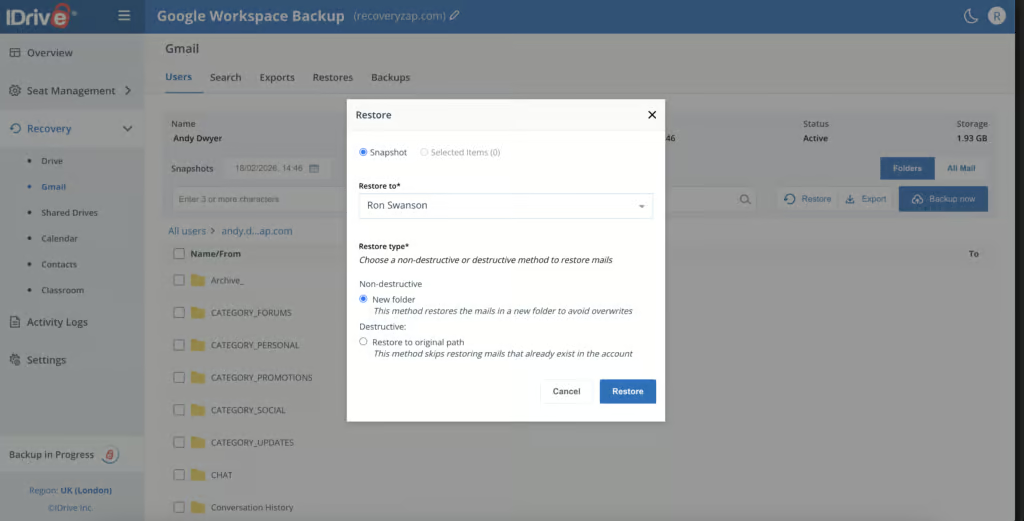
Gmail, Drive, Shared Drives, Contacts, and Calendar must all be restored separately. There is no way to restore all data at once for a particular user. You can choose to restore an entire snapshot from a specific date and time.
Single-item restores did work. The search functionality is relatively quick, with basic search parameters for keyword, seat, and date/time. However, there are no options for filtering search results. Clicking into an email search result loads a preview of the contents and allows you to download any attachments. Mailbox items can be downloaded locally in PST or MBOX format but cannot be exported elsewhere.
There is no self-service restore access for end users.
IDrive moved Google Workspace backup to a new account platform in September 2026, so we've removed our April full-restore results and will update this section after retesting.
Resilience
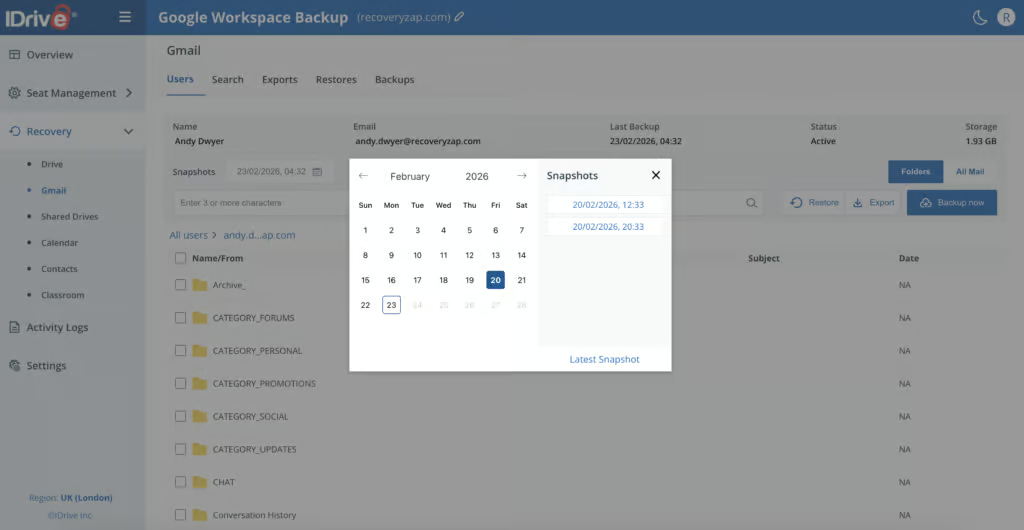
IDrive stores all backup data in its own independent data centers, completely separate from Google's infrastructure. In the event of a significant Google outage, your backups remain accessible.
IDrive does not however support bulk restores. You can choose a specific date and time snapshot to restore data from, which is positive for selecting a known-good recovery point.
The platform also does not offer malware scanning. There are no threat detection capabilities to help identify a point of compromise during a ransomware investigation.
Three daily snapshots stored in IDrive's own data centers, independent of Google's infrastructure, are a real strength, but the lack of malware scanning and bulk restore keeps the score at 6/10.
Backup Health
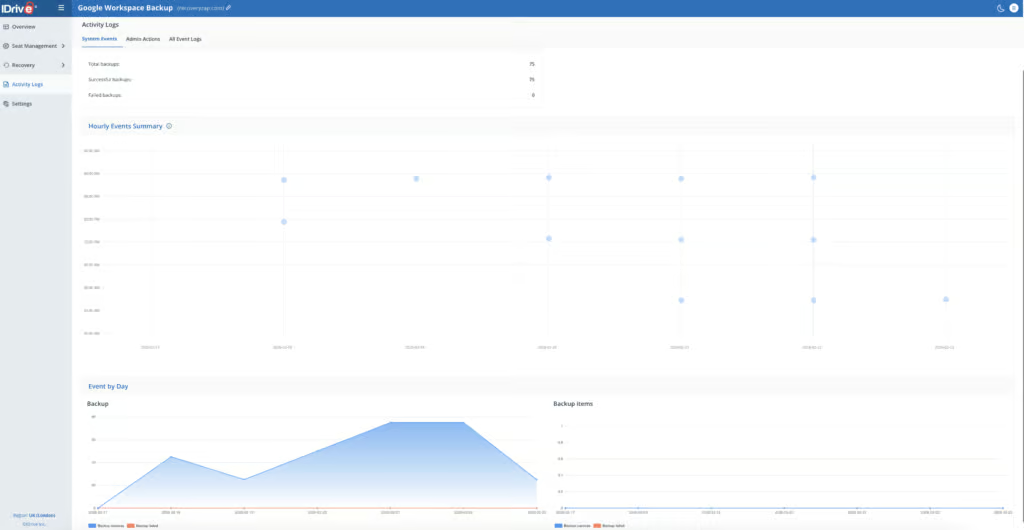
Backup health monitoring is limited. There are no real-time notifications to alert you when something goes wrong, and failure entries in the logs carry little detail; we had to check Activity Logs > All Event Logs for more information.
Failed jobs are listed in the event logs, but email notifications are only available once per day. There is no real-time alerting capability.
IDrive can display information on recent activity, but most of this information cannot be exported. If you need to provide backup health evidence to auditors or compliance teams, the lack of export capability and real-time alerting is a gap here.
Governance and Security
| Public API available | ✗ |
| Multi-Tenancy | ✓ |
| Reporting / Alerts | Daily email notifications only – no real-time alerts |
| Automatic mailbox / site / etc onboarding | ✓ |
| Bulk enable / disable backups | ✓ |
| Self-service recovery | ✗ |
| Audit Logs | Limited - basic audit logging; not exportable |
| Role-based access controls | Limited - full access or read-only only |
| Data encrypted at rest and in transit | ✓ |
| Supports bring-your-own storage | ✗ |
| E-discovery / legal hold | ✗ |
| Data Center Regions | US, UK, Ireland, Frankfurt, Paris, Canada, Tokyo |
| Data Center Infrastructure | Independent data centers |
| Maximum retention period | Unlimited |
IDrive’s admin and governance capabilities are basic and relatively limited.
The only permission options available are full access and read only. The only difference between these roles is the ability to manage backup seats. There are no granular role-based access controls to control who can perform restores, who can view reports, or who can modify backup settings.
Managing admin settings brings you to a portal page that is separate from everything else, so you cannot click back into your Google Workspace backup account. This adds friction to the admin experience.
Audit logging and reporting capabilities are basic. For organizations that need detailed governance and security controls, IDrive would not meet the requirements.
IDrive is SOC 2 and GDPR compliant. 2FA can be optionally configured in the higher-level IDrive portal. Admins can permanently delete a user's backups by setting the seat to Unprotect, and an optional setting deletes backups automatically when a user is deleted in Google, so these settings need care.
Storage is available in seven regions, including the US, UK, Ireland, Frankfurt, Paris, Canada and Tokyo.
Commercials
Pricing
| Free plan available | ✗ |
| Trial available | ✓ |
| Seat-based pricing option | ✓ |
| Storage-based pricing option | 10 TB per seat included; additional storage $5/TB/month |
| Starting Price (user / month unless otherwise noted) | $20.00/seat/year |
| Higher Tier Pricing | Not applicable |
IDrive’s Google Workspace offering has a flat price of $20 per billable seat per year, or $2 per seat per month. Business billing counts users and Google Classroom classes as seats, and Shared Drive storage beyond 10 TB costs $5 per TB per month. This comes with 10 TB of storage per seat, which is generous compared to competitors. Educational institutions are given a 25% discount. Additional storage costs $5 per TB per month per seat.
The portal clearly shows what you will pay. The Domains page displays the number of seats being used and the yearly charge. Active, paused, and archived Google Workspace users are all billed as seats. If data has been backed up, the seat is billed.
Support responded to a query via email after approximately one hour with helpful information.
Support
| Email support | ✓ |
| Phone support | ✓ |
| Chat support | ✓ |
| Web support portal | ✓ |
| Support hours (normal priority) | Not documented |
| First response SLA (normal priority) | Not documented |
A flat $20 per user per year with 10 TB included, transparent in-portal billing, and a one-hour support response in our testing is what earns the 8/10.
Editor's Score
IDrive is a simple, affordable Google Workspace backup solution designed for the low-end SMB market. Deployment is excellent, pricing is transparent and competitive, and coverage is solid for the core workloads.
IDrive is an established backup company that has been operating since 1995, historically known for backing up physical devices and servers rather than cloud services. It’s a trusted brand, which we see as very beneficial when it comes to backup.
Recovery is basic: each workload must be restored separately and there is no bulk restore. IDrive moved Google Workspace backup to a new account platform in September 2026, so we've removed our April full-restore results and will update this section after retesting. Backup health monitoring and governance are also limited.
IDrive is a credible choice for small organizations whose recovery needs rarely extend beyond individual files or emails, and who value affordability and simplicity over operational depth. For those buyers, the combination of a five-minute setup, $20 per user per year pricing, and 10 TB of included storage is hard to beat.
Who this is for: Small businesses or individuals who want a simple, affordable backup solution for Google Workspace. Best suited for environments where large-scale restores are unlikely to be needed. Also suitable for organizations wanting to back up both business and personal Google accounts on a single platform.
Who should look elsewhere: Any organization that needs bulk restores at scale. Teams that require configurable retention, real-time alerting, granular RBAC, or exportable audit logs should consider CloudAlly, SpinOne, NinjaOne, or Acronis instead.
Read the full review
Enter your work email to unlock the full review.
Check your email
We sent a 6-digit code to . Enter it below to continue.