
Spanning Backup For Google Workspace Review

Tested March–April 2026. Updated October 2026.
The Bottom Line
Spanning offers a Google Workspace backup solution built for SMBs. It provides daily backup and end-user self-service restores, with dark web monitoring as an optional extra. The trade-off is flexibility: retention is tenant-wide, there is no bulk restore or real-time alerting. It's a strong fit for SMBs who value simplicity and reliability.
Overall Rating Summary
Read our Google Workspace testing methodology to learn more.
Pros
- Fast deployment in under five minutes
- Clean, modern admin console that is easy to navigate
- Easy license assignment with auto-protect toggle for new accounts
- Dedicated tab for error codes and recommended actions
- End users can perform self-service restores on their own mailboxes
- Backup data stored on AWS
- Optional dark web monitoring (premium feature)
- API token access supported
Cons
- Backups run once per day with no option to increase frequency
- No support for Google Chats, Forms, or Classroom
- Retention can only be set at the tenant level – no per-user or per-group granularity
- No bulk restore capability
- No real-time alerting – only daily, weekly, or monthly status reports
- Data is deleted 60 days after a license is removed unless it's relicensed
- No malware scanning of backups
Spanning Backup for Google Workspace is a SaaS backup product from Kaseya, aimed squarely at small and mid-sized businesses running on Google Workspace. It backs up Gmail, Drive, Shared Drives, Calendar, and Contacts to AWS-hosted storage on a daily schedule, with support for end-user self-service restores.
One of the major strengths is the simplicity of the service. You can just connect your tenant, assign licenses, and leave it to back up each day. There is limited customization available, which keeps things simple. Auto-protect can be toggled on to automatically assign licenses to newly discovered accounts, with the option to exclude or include specific groups or users.
Spanning also offers dark web monitoring as an optional premium feature, which we haven’t seen elsewhere. Deployment is fast, and the UI is clean and quick to navigate.
How We Tested Spanning
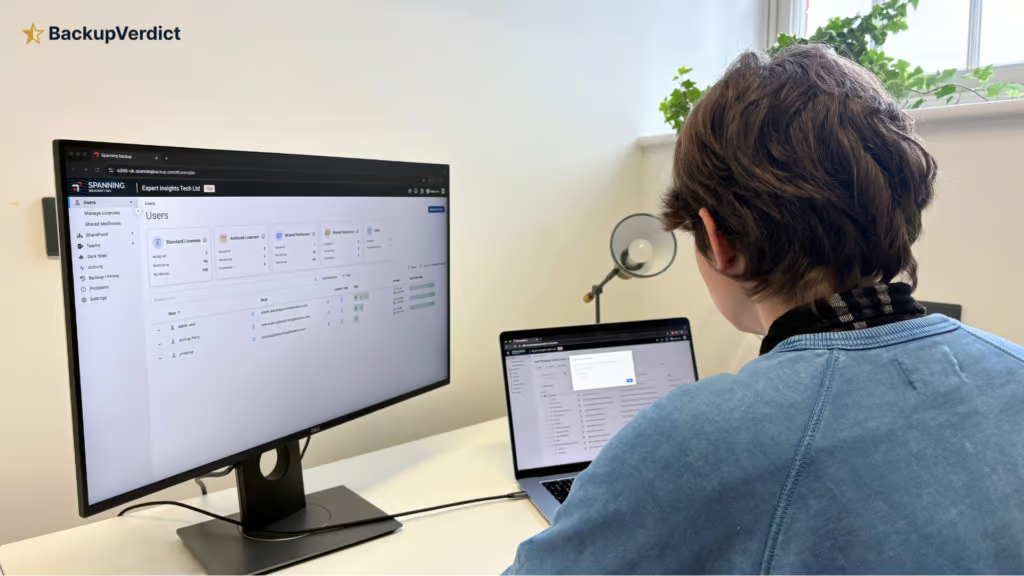
We applied a standard testing methodology across all vendors. We looked at deployment, data coverage, retention policies, recovery capabilities, resilience, backup health monitoring, governance and security controls, commercial considerations, and an overall editorial verdict.
We timed deployment, time taken to backup, and full mailbox snapshot restores (cross-user and same-user). We also ran single-item restores and tested search functionality.
All testing was conducted in a dedicated Google Workspace environment with the following configuration:
- Domain: recoveryzap.com
- Licensed users: 6 (5 active, 1 suspended)
- Approximate data volume: ~10 GB across Gmail, Drive, and Shared Drives
- Workloads tested: Gmail, Google Drive, Shared Drives, Calendar, Contacts
- Platform tested: Spanning Backup for Google Workspace
The same environment and data set was used for all 11 vendors to ensure a fair, like-for-like comparison. You can read our full testing methodology here.
Deployment
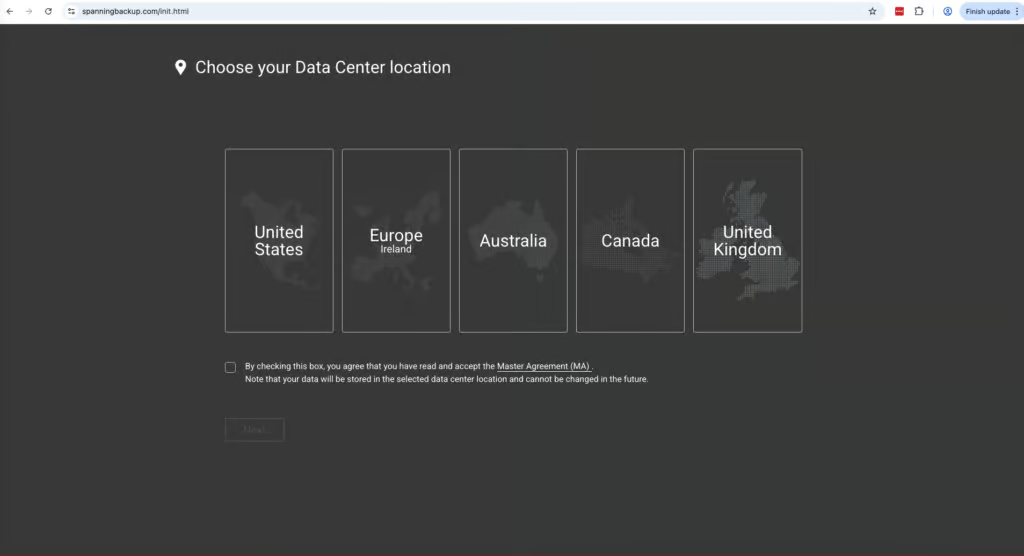
Deployment was streamlined and straightforward. The account was created in under five clicks with zero friction or documentation required. The setup appears to be aimed at end users rather than MSPs or enterprises. A useful onboarding tool walks you through the steps.
Backups are not started automatically because you must first assign licenses to the mailboxes that require protection. The admin console is simple to navigate though, and license assignment is easy. Auto-protect for new accounts can be toggled on in the settings, with customization to exclude or include specific groups or users.
Once mailboxes were protected and ad hoc backups initiated, the smaller mailboxes (under 1 GB) were completed in under five minutes. It is easy to view tasks that are underway or completed, as they have dedicated tabs. The main gap is that finding the ad hoc backup option is not immediately obvious – we found it within the restore section.
Coverage
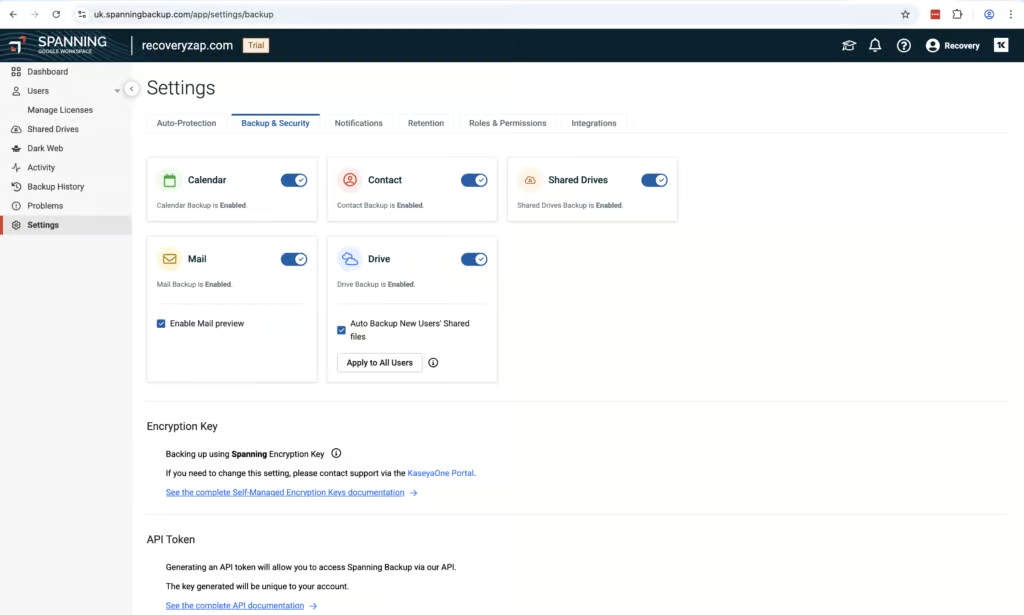
Spanning backs up the majority of items most organizations would need: Gmail, Drive, Shared Drives, Contacts, and Calendar. Google Chats, Forms, and Classroom are not supported and Shared Drives are backed up separately.
Workloads Covered
| Gmail | ✓ |
| Drive | ✓ |
| Calendar | ✓ |
| Contacts | ✓ |
| Shared Drives | ✓ |
| Sites | ✗ |
| Chats / Hangouts | ✗ |
| Classroom | ✗ |
The auto-discovery has a dedicated tab within the settings, which makes it easy to manage which accounts are automatically assigned protection licenses. You can customize the policies to exclude or include certain groups or users. Auto-discovery is not switched on by default.
Gmail, Drive, Shared Drives, Calendar, and Contacts cover the vast majority of SMB use cases, but the absence of Chats, Forms, and Classroom keeps this short of full marks.
Retention
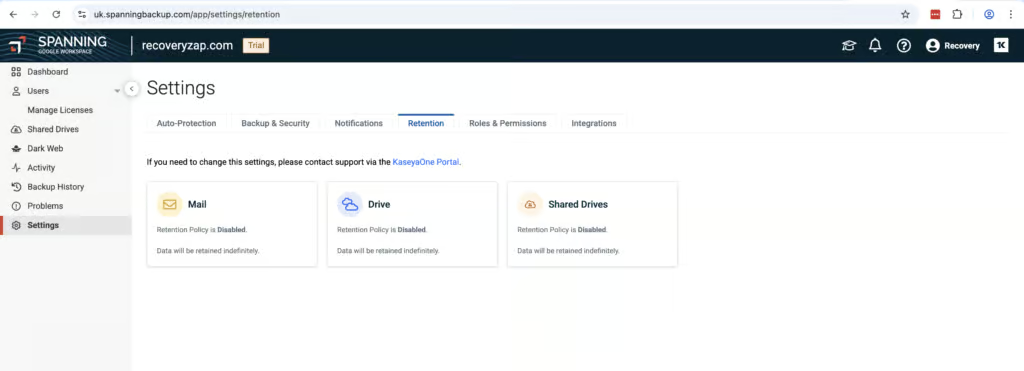
Spanning operates on a purely license-based model. If a mailbox is not assigned a Standard or Archived license, data will not be backed up. If a Standard license is removed, data will be deleted after 60 days. To keep and restore it, you need to reapply a Standard or Archived license within that window, which administrators must be aware of during offboarding.
Archived licenses are purchased separately from Standard licenses and can be automatically assigned based on Google Organizational Units or Groups. This mitigates some of the manual overhead of managing offboarded users. However, several competing products retain and protect archived mailbox data without requiring additional license management.
Retention is indefinite by default. Customization requires contacting support, and retention can only be set at the tenant level. There are no granular retention settings for individual users or groups. Data is stored in Spanning’s own AWS data centers with no BYOS option.
Indefinite retention by default is generous, but the need to pay for archived licenses, and the 60-day deletion window after a license is removed, are why this scores a 6 rather than higher. Retention determines what is available to restore; the next question is how easily you can get it back.
Backups run once per day, and there is no option to increase the frequency.
Recovery
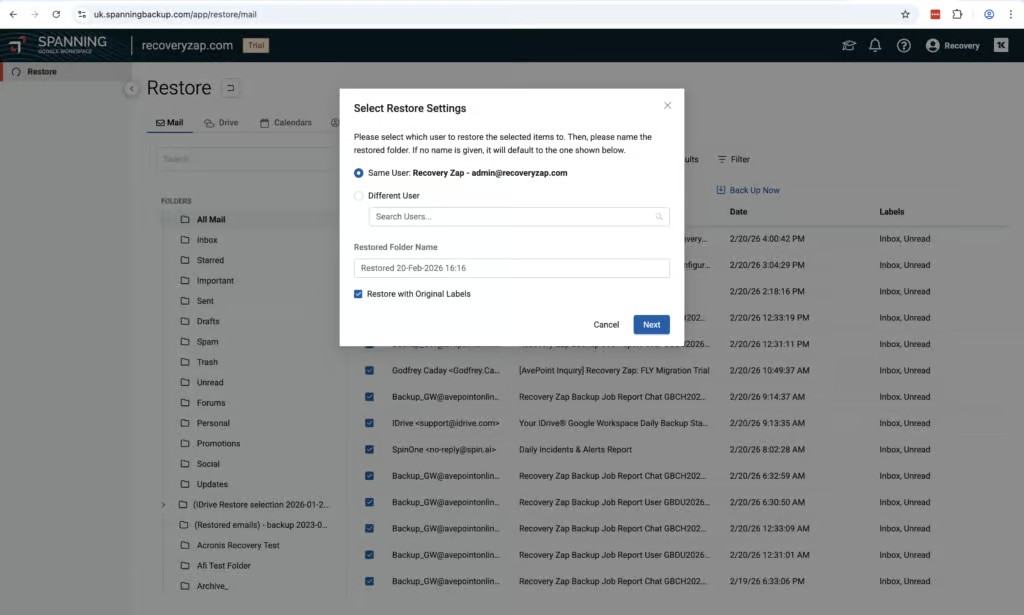
Spanning offers a strong recovery process, but we did find there were some quirks. Locating a mailbox to restore is relatively simple. However, the restore function is labeled as “Impersonation” rather than “Restore”, which is not intuitive. A dedicated Restore tab would be clearer. The entire user cannot be restored at once – Mailbox, Drive, Calendar, and Contacts must be done individually.
Recovery speed was good for a full mailbox, but it wasn’t always easy to find the restore point we were looking for. For example, in mail there’s a different interface to Calendar, Contacts, and Drive.
Search works well, fetching data quickly when performing a single-item search. The filter allows you to pick by date range, folder, and subject. It prioritizes speed over granular depth, but you can get into a mailbox and start searching for an item to restore in seconds.
Search covers email headers and subject but does not search the email body. You cannot perform more than one restore at a time for mailbox items.
Resilience
Spanning offers some good resilience features, but it is not a market leader in this area. For example, there is no bulk restore capability. The solution is built around single users and allows end users to access and restore their own data.
It is not designed for larger organizations with hundreds of mailboxes; restoring multiple mailboxes would be an extremely long, sequential process. There is also no malware scanning capability, but optional dark web monitoring could help to highlight potential compromise attempts.
Spanning stores all backup data on Amazon Web Services (AWS), completely separate from Google's infrastructure. This means in the event of a significant Google outage, your backups remain accessible, which we see as a real strength.
Backup Health
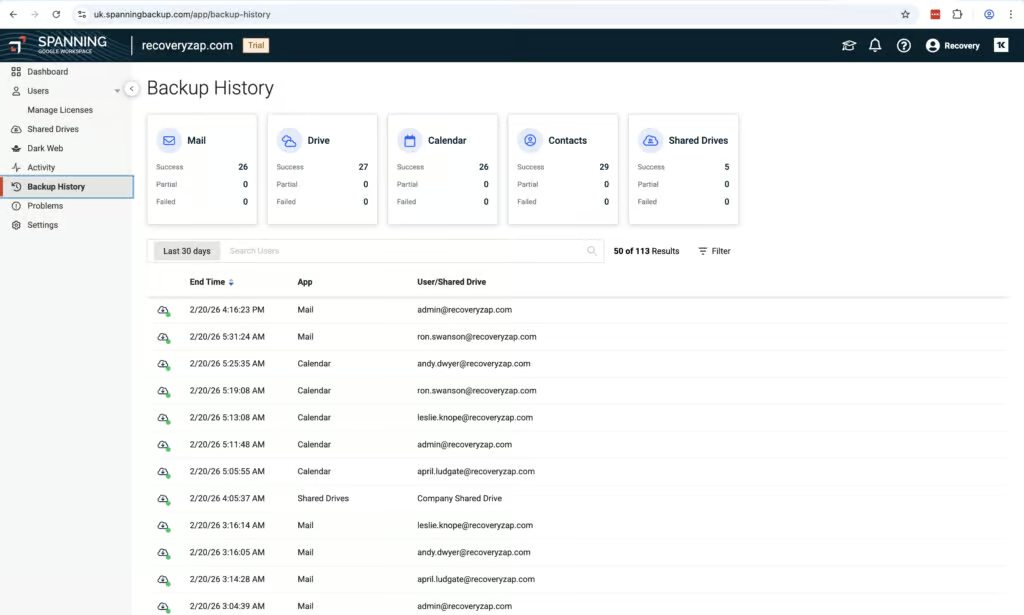
Within the UI, there are places where you can spot and fix errors: the Activity tab, Backup History tab, and a dedicated Problems tab. The Problems tab in particular is really helpful. Each problem has a code attached indicating the error, along with a description and a recommended action. This is genuinely helpful for troubleshooting.
We didn’t come across any backup failures in testing, which is positive. However, the reporting is limited. There is no option for real-time email alerts if a backup failure occurs. The only real-time emails appear to be for licensing issues. Status summary reports can be sent daily, weekly, or monthly, but the content cannot be customized.
The Activity tab is clean and easy to navigate with functional filtering. The dashboard is informative and easy to read, but the lack of real-time alerting is a notable gap. The product could score higher in this category if real-time alerts could be configured for backup failures.
Governance and Security
| Public API available | Limited functionality |
| Multi-Tenancy | ✓ |
| Reporting / Alerts | Scheduled status reports only – no real-time backup failure alerts |
| Automatic mailbox / site / etc onboarding | Yes, via auto-protect toggle (not switched on by default) |
| Bulk enable / disable backups | ✓ |
| Self-service recovery | ✓ |
| Audit Logs | ✓ |
| Role-based access controls | Four preset roles (not customizable) |
| Data encrypted at rest and in transit | ✓ |
| Supports bring-your-own storage | ✗ |
| E-discovery / legal hold | ✗ |
| Data Center Regions | US, Canada, EU, UK, APAC |
| Data Center Infrastructure | AWS |
| Maximum retention period | Unlimited |
Spanning also offers a good level of governance and security controls. The activity log works well. During testing, we assigned privileged roles to different users, and both actions were correctly recorded with timestamps and the user who performed the action. The activity log is immutable and can be filtered and exported as CSV locally.
There are four designated roles that can be assigned to users. These roles are preset and cannot be customized but will likely fit the requirements of most teams. Google and Spanning Super Admins have access to everything, Help Admins cannot export CSVs or restore full accounts, and Non-Admin users can perform restores on their own mailboxes – which allows for end-user self-service restore. Admins can deny access to any non-admin users if needed.
Spanning supports access via an API token, which is positive for an SMB-focused product. It’s not the most granular solution, but it offers a strong set of controls for the SMB market it targets.
Spanning is SOC 2 Type II and ISO 27001 certified and compliant with GDPR. Google Workspace data centers are available in the US, Canada, EU, UK, and APAC.
Commercials
Pricing
| Free plan available | ✗ |
| Trial available | ✓ |
| Seat-based pricing option | ✓ |
| Storage-based pricing option | Based on average backup storage used per license; 60GB pooled storage per license |
| Starting Price (user / month unless otherwise noted) | Quote-based - $40-$48/user/year in our trial (approx. $3.33-$4.00/user/month) |
| Higher Tier Pricing | Not public |
Spanning charges based on the average backup storage used per license, calculated by dividing total stored data (after compression and deduplication) by the total number of purchased licenses. This isn’t the simplest model, but it does mean you can keep on top of costs. Pricing is quote-based; we saw ranges from $40 to $48 per user per year.
Data is not protected unless it has an assigned Standard license. The pooled storage amount of 60 GB per license is larger than what most competitors offer.
Support
| Email support | ✓ |
| Phone support | ✓ |
| Chat support | ✓ |
| Web support portal | ✓ |
| Support hours (normal priority) | 24 hours |
| First response SLA (normal priority) | 24 hours |
Support is mixed. There is no option for raising a support ticket within the Spanning application itself. Self-help materials including training videos and a knowledge base are available, but contacting support appears to require going through the broader Kaseya environment.
At $40–$48 per user per year with 60 GB of pooled storage per license, Spanning is competitively priced for the SMB market, but the absence of in-app support ticketing and the need to navigate the wider Kaseya ecosystem to reach a human keeps this at a 5. Pulling all of this together, here is where Spanning lands overall.
Editor's Score
Spanning is a functional, reliable backup product that prioritizes simplicity. Deployment is quick, license management is straightforward, and the Problems tab with error codes is very helpful for troubleshooting.
The limitations are in flexibility and scale. Retention can only be set at the tenant level, there is no bulk restore capability, and the once-daily backup frequency cannot be changed. Real-time alerting is absent.
Spanning is a good, well-rounded platform for SMBs that want backup running quickly with a fixed daily schedule and tenant-wide retention. It also offers end-user self-service restores and optional dark web monitoring.
Who this is for: SMBs that want a simple, reliable set-and-forget backup solution with security controls. Best suited for organizations that do not need granular retention, real-time alerting, or large-scale recovery capabilities. Also suitable for environments where end-user self-service restore is required.
Who should look elsewhere: Enterprises or MSPs needing granular retention, bulk restore, or real-time alerting. Organizations with strict compliance requirements around differentiated retention should consider AvePoint, Druva, or Acronis.
Read the full review
Enter your work email to unlock the full review.
Check your email
We sent a 6-digit code to . Enter it below to continue.