
Hornetsecurity 365 Total Backup Review

Tested March–April 2026. Updated October 2026.
Bottom Line
Hornetsecurity is an easy-to-manage, intuitive backup solution. We think it's a good fit for mid-sized businesses or MSPs who are looking for a user-friendly and effective solution. It's easy to deploy and it doesn't require deep technical knowledge to get up and running. If you're looking for predictable backups with unlimited retention and a set and forget experience, Hornetsecurity is a good option to consider.
Overall Rating Summary
Read our M365 testing methodology to learn more.
Pros
- Intuitive and easy to use app and console
- Supports unlimited data retention
- Offers multiple backups per day by default
- Offers a bulk restore capability which is easy to manage
- Good fit for MSPs with a strong multi-tenant dashboard
- Runs its own data center infrastructure and is not dependent on Microsoft Azure
Cons
- No malware or ransomware scanning within the backup product (slightly mitigated for Plan 3 or 4 customers where email security is included)
- Admin roles are limited to full access and a restricted Service Desk role, with no custom roles
- There are no retention policies for specific groups or users
- There’s no tenant-wide keyword search in the backup module (there is archiving support for Plan 3 or 4 customers)
Hornetsecurity is a trusted brand with experience in backup and a strong security platform. The product was originally built by Altaro, a dedicated backup company with cloud-to-cloud backup experience that goes back to 2018. It also used to offer an on-prem backup solution. Hornetsecurity acquired Altaro in 2020 and Altaro’s expertise was integrated into Hornetsecurity’s broader security platform.
Proofpoint announced it intended to acquire Hornetsecurity in May 2025 and completed the purchase in December 2025.
In Europe, 365 Total Backup is still sold under the Hornetsecurity name; in the US you’ll more often see it marketed as Proofpoint 365 Total Backup, with the Hornetsecurity branding less prominent.
Hornetsecurity 365 Total Backup can be purchased on its own or as part of the 365 Total Protection plans. If you're on Plan 3 or 4, it also includes email archiving, email security with advanced threat protection and compliance tools. This is really beneficial if you're looking for a backup solution alongside email security, archiving and so on.
That said, Hornetsecurity is best suited for small to mid-size organizations. It doesn’t have the granular functionality or customization that some other backup solutions that we’ve tested have to offer.
365 Total Backup now includes role-based access control (RBAC) through a Service Desk role, which gives restricted access: these users can view information but can’t open, restore or delete backed-up data. It’s a welcome addition, though permissions are still less granular than the custom roles offered by Veeam or Acronis.
Overall though, we think Hornetsecurity is a very effective Microsoft 365 backup and recovery platform, especially for SMBs and MSPs. It's very simple to use and it's cost-effective.
How We Tested Hornetsecurity
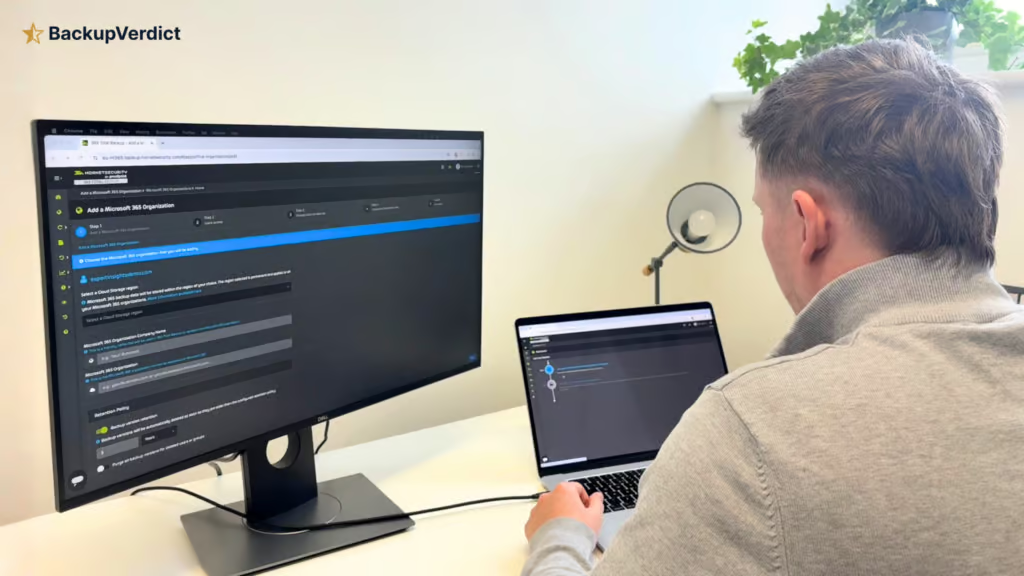
We set up a clean Microsoft 365 tenant and conducted an independent test of Hornetsecurity 365 Total Backup. Our review covered deployment, we verified which workloads are covered, we tested retention policies, we timed all of the recovery scenarios, we tested out the resilience controls and we looked at commercial pricing.
We started our review by setting up all of the backups from scratch. We recorded the time it took to get up and running and to get a successful backup deployed. We verified which workloads are protected and tested the retention policies including deleted user scenarios.
We ran full mailbox restores and tested how long it took for recovered items to appear back in Microsoft 365. We also tested the governance controls by performing privileged admin actions and looking for audit logs. We checked IP range restrictions and verified the MFA worked and we also submitted support tickets.
We have no commercial relationship with Hornetsecurity and this review was completely independent and it’s our own opinion.
Deployment
Ranked #2 out of 12 M365 Backup Solutions for Deployment
Deployment Options
| SaaS | ✓ |
| On-premises (for Microsoft services like Exchange, Active Directory, etc.) | ✗ |
| Hybrid cloud | ✗ |
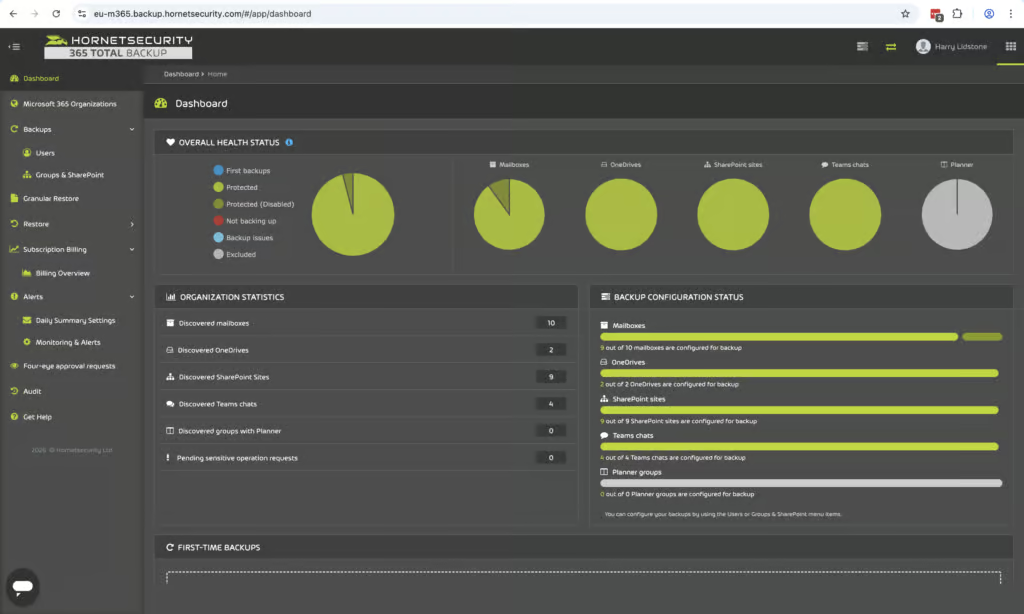
We found Hornetsecurity was very easy to set up. Backups were clearly labeled and it was quite easy to see what was and wasn't protected once we were up and running. We found that once we were set up on the system the auto discovery was very simple. Onboarding is very fast with a single Microsoft 365 consent step.
We spoke to the Hornetsecurity team and they told us that all discovered users are automatically backed up by default once connected. We had initially thought that this was a manual process, but this may have been a configuration issue on our side rather than a problem with the Hornetsecurity platform.
Hornetsecurity is MSP focused and you can manage multiple tenants on a single account. This makes it very simple for MSPs to onboard and manage multiple clients from the app and console.
Coverage
Ranked #6 out of 12 M365 Backup Solutions for Coverage
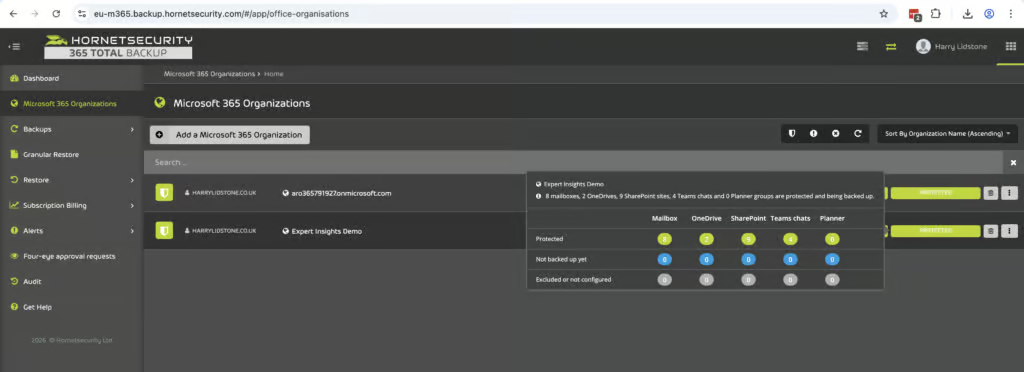
Hornetsecurity covers all of the core Microsoft 365 workloads. Exchange, Teams, OneDrive and SharePoint. The platform also supports Planner and OneNote which is nice to have and we don't typically see this included in Microsoft 365 backup products. For Teams, Hornetsecurity covers 1:1 chats, channel chats and associated files which is again good to see.
Supported Platforms
 Exchange (Outlook) Exchange (Outlook) |
✓ |
 SharePoint SharePoint |
✓ |
 OneDrive OneDrive |
✓ |
 Teams Teams |
✓ |
 Azure VMs Azure VMs |
No, but on roadmap |
 Entra ID Entra ID |
Limited - users and groups only; devices, Conditional Access and service principals on roadmap |
 Dynamics Dynamics |
✗ |
 Power Platform Power Platform |
✗ |
Unlicensed user mailboxes are not backed up.
Hornetsecurity also covers Microsoft Entra ID users and groups, including their configuration and object relationships. Broader coverage, including devices, Conditional Access policies and service principals, is on the roadmap but not yet released.
Microsoft now includes a basic Entra ID backup with Entra ID P1 and P2 licenses, but it keeps only seven days of daily backups inside your own tenant. Hornetsecurity’s Entra ID backup adds longer retention and a copy held outside Microsoft.
The main limitations in Hornetsecurity coverage are Dynamics and Public Folders, this is not currently supported. Another bonus though is that Hornetsecurity does cover Planner and OneNote. These are not commonly protected by other services so it's good to see these included.
Retention
Ranked #3 out of 12 M365 Backup Solutions for Retention
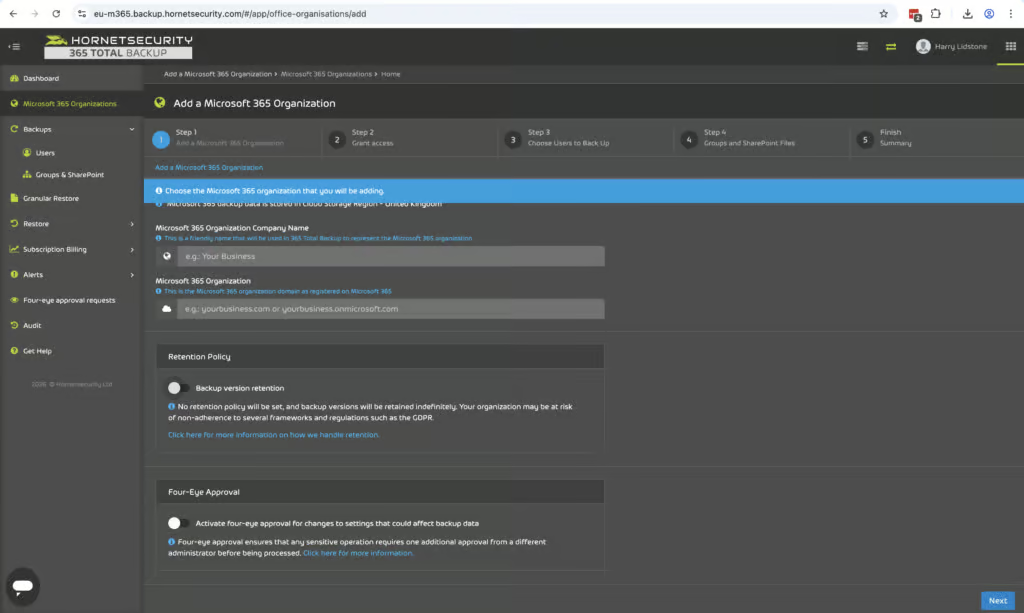
You can set multiple backups per day and retention lengths are flexible. Setting multiple backups per day is very beneficial for MSP environments and it's a lot better than what other competitors offer in the Microsoft 365 backup space.
For example, OpenText CloudAlly backs up once per day by default, with three backups per day available as an add-on, and Veeam backs up once per day unless you pay for its Premium plan, which adds Express backups every 10 minutes. NinjaOne does outdo Hornetsecurity with 12 backup snapshots per day and Acronis supports up to 6.
Retention policies are configured at the tenant level. You can set policies for deleted items and for employees that have left which covers common GDPR compliance requirements. Granular per user or per group retention policies are not currently supported but to be fair this might not be a common use case for SMBs and MSPs. But for mid-market organizations or MSPs managing larger regulated clients, granular retention policies are nice to have so it would be good to see Hornetsecurity add this in the future.
When an employee leaves you can easily remove these users from backups while continuing to restore data from their deleted or archived mailboxes.
Recovery
Ranked #2 out of 12 M365 Backup Solutions for Recovery
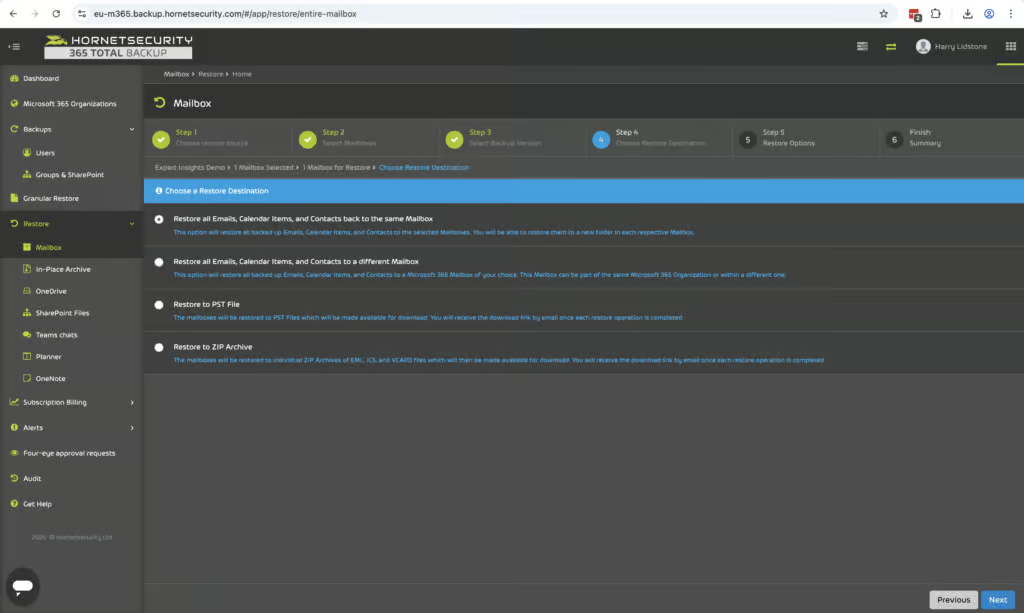
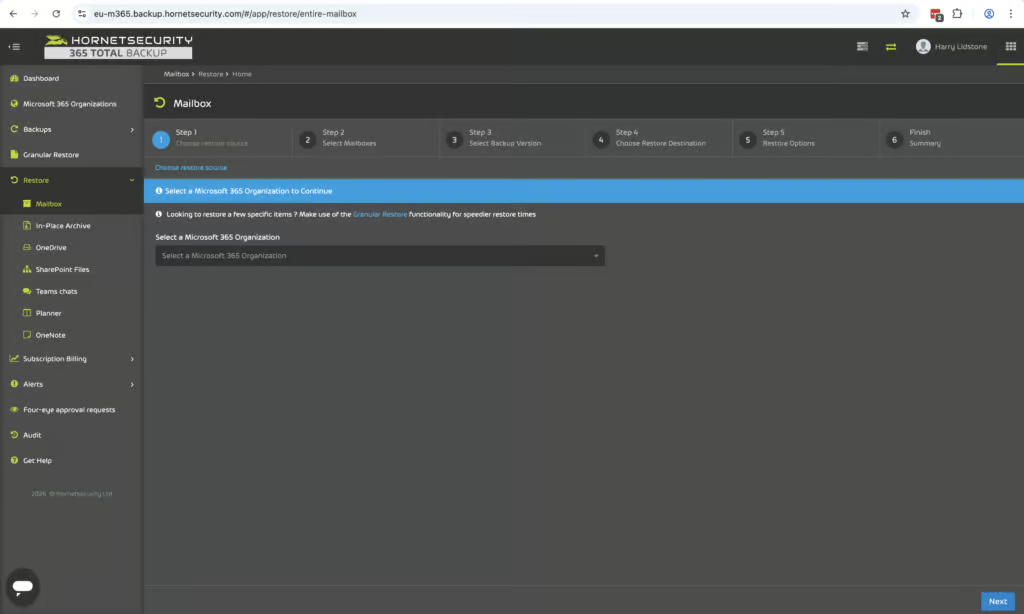
We found recovery to be one of Hornetsecurity's best areas. There's a clear and intuitive restore process that works consistently across all of your workloads. You can easily see which users are protected or not protected on the platform and the restore workflow is very clear.
You can bulk restore multiple mailboxes at once and you can choose to put them in the same location or you can restore to a PST or ZIP file. Cross-user restores are supported but must be done one at a time. There's no bulk cross-user restore.
It's very easy to restore specific items. The user interface is really easy to use. You can easily choose between different backups like Exchange, OneDrive and SharePoint and you can restore files to their original location, a different site or as a ZIP file. You can recover multiple files at once and Microsoft Teams data can be restored to a HTML export or recreated as a new Teams chat.
The user interface is very strong and there's a really strong search component. However there is no keyword search which would be good to see added so that you could search for specific items across the entire tenant. At the moment search is limited to metadata rather than email body content or attachments. This is a somewhat common theme and Acronis have the same limitation, but CloudAlly does go further and offers full indexing of email body content and attachments so you can search for specific emails using keywords.
However, if you're on Plan 3 or 4 there is a full cross-tenant search capability which is good to see but this is only available on the higher tier paid plan.
Resilience
Ranked #3 out of 12 M365 Backup Solutions for Resilience
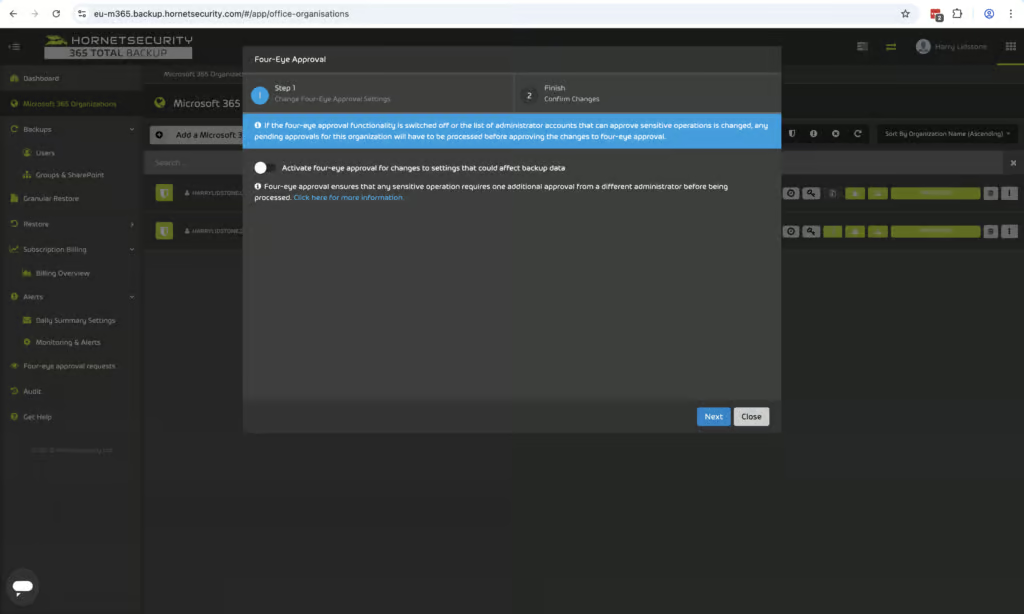
Hornetsecurity provides strong bulk restore capabilities and the platform is very resilient. Backups are immutable, they cannot be altered or deleted by any external parties and there's a strong feature that protects against accidental and destructive actions that could impact on your backups.
This protects against malicious insider activity and is a really strong feature to see. Essentially you have to have two administrators to approve any destructive actions such as deleting backups.
There is no malware or ransomware scanning which is a limitation with the service. However, on Plan 3 or 4 the email security feature means that any ransomware that passes through your Microsoft 365 environment should be caught by Hornetsecurity Advanced Threat Protection, so if your data has already been scanned for malware you may not need ransomware scanning within your backups themselves.
If you're planning on purchasing 365 Total Backup without the email security suite there is no malware scanning at all. This is quite a common challenge. MSP backup providers like NinjaOne and CloudAlly also lack malware scanning but Redstor for example does, with 14 attachment types scanning capabilities. Acronis and Veeam also offer malware scanning, but only on their higher-priced tiers.
Hornetsecurity stores backups on their own physical data centers which is a really strong feature and Hornetsecurity stands out in this respect. You can store data in Europe, the UK, the US (Virginia and Georgia), Canada, France, or Switzerland. Data was previously stored on Azure but all new data is now stored on Hornetsecurity owned infrastructure which is a real positive because if Azure goes down you can still access your data.
Backup Health
Ranked #5 out of 12 M365 Backup Solutions for Backup Health
Hornetsecurity provides strong backup health monitoring. There are clear real-time alerts and a good dashboard which shows the status of all of your backups. We didn't have any backup failures during our testing so we couldn't really test how failures are surfaced but we did check that email alerts can be customized and they are sent in real-time if backups do run into any issues.
There are summary reports which are available and these can be scheduled to be delivered regularly. You can also see reports for each workload, so mailboxes, OneDrive, Teams and SharePoint. These reports can be scheduled via email which is very helpful for MSPs or small IT teams that don't want to be logging into Hornetsecurity every day. There are alerts for when backups are deleted which is helpful.
Governance and Security
Ranked #5 out of 12 M365 Backup Solutions for Governance and Security
365 Total Backup now supports role-based access control. As well as full administrators, you can assign a Service Desk role, which gives restricted access: these users can view information, but can’t open, change, restore or delete backed-up data. There are no custom roles, so you can’t fine-tune permissions beyond these options.
At the Hornetsecurity platform level there are separations in terms of roles. For example, you can have one admin that just has control over the backup product but can't access the compliance or email security product. This does provide some role separation, but it doesn't provide any granularity for the backup product itself.
Governance Capabilities
| Public API available | Monitoring API for tenant backup status |
| Multi-Tenancy | ✓ |
| Reporting / Alerts | ✓ |
| Automatic mailbox / site / etc onboarding | ✓ |
| Bulk enable / disable backups | ✓ |
| Self-service recovery (for end users) | ✓ |
The Service Desk role closes the biggest gap we found in our original testing, though there is still more granularity on offer from products like NinjaOne, Veeam and Acronis. We do highly rate the mechanism described above which requires two admins to have signed off before a deletion takes place.
Hornetsecurity has good compliance accreditations. It supports the major security frameworks, SOC 2, ISO 27001 and GDPR compliance. MFA is supported and you can also define IP ranges for login which is quite helpful to protect against account compromise attacks. GDPR right to erasure is supported. You can easily delete all backed up data without needing to raise a support ticket with Hornetsecurity.
Compliance
| Audit Logs | ✓ |
| Data Center Regions | Europe (West), UK, US (Virginia and Georgia), Canada, France, Switzerland |
| Data Center Infrastructure | Physical data centers owned by Hornet. Legacy data from before 9 December 2021 is stored on Azure. |
| Maximum retention period | Unlimited, but can also set a custom retention policy with a maximum of 10 years |
| Role-based access controls | Limited - full admin and restricted Service Desk role, no custom roles |
| Data encrypted at rest and in transit | ✓ |
| Supports bring-your-own storage | No |
| E-discovery / legal hold | No |
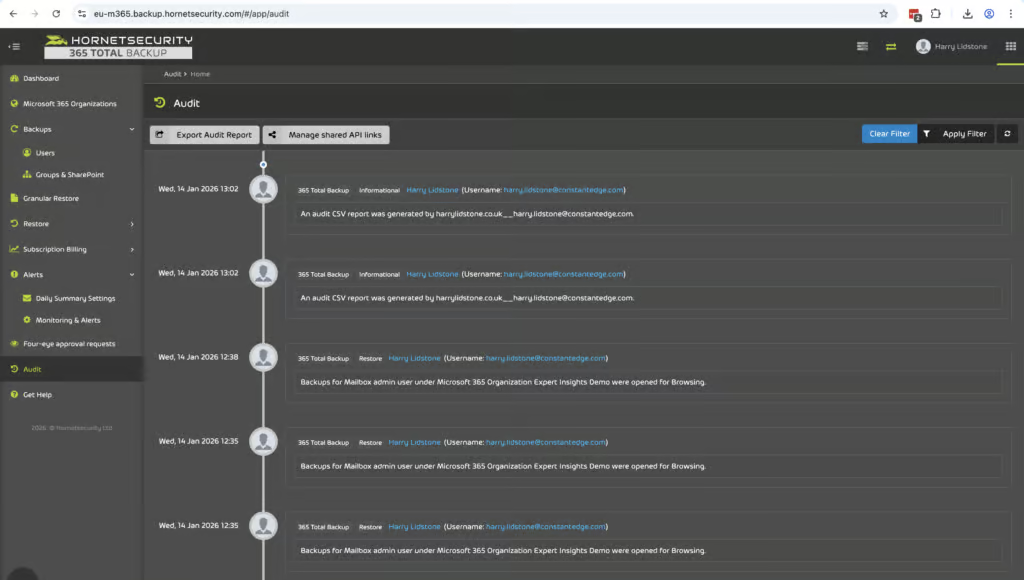
It's easy to navigate the audit logs. You can filter logs by date, action performed and account and you can also export this as a CSV. Audit logs are stored according to your organization's broader retention policy.
Hornetsecurity does not support bring your own key encryption and it is not FedRAMP compliant, however.
Commercials
Ranked #2 out of 12 M365 Backup Solutions for Commercials
Pricing
| Free plan available | ✗ |
| Trial available | ✓ |
| Seat-based pricing option | ✓ |
| Storage-based pricing option | ✗ |
| Starting Price (user / month unless otherwise noted) | $2.75 |
| Higher Tier Pricing | Not public |
Hornetsecurity's pricing is pretty simple to get your head around and there's no hidden surprises. You only pay for active users and sites. You don't pay for shared mailboxes. You can see the historical user count in the backup portal making it easy to track over time. You can also choose to exclude certain mailboxes from backup if you want to manage your costs.
Storage is completely unlimited which is very good to see and removes one of the biggest frictions in backup pricing. You can run backups multiple times per day for all users and you don't pay any more as your storage costs increase.
Hornetsecurity’s end-user list price is $2.75 per user per month, with discounts for MSPs and resellers, which makes it very competitively priced. NinjaOne starts at $3 per user per month and Acronis comes in at approximately $3.48 per user per month.
CloudAlly is a little cheaper at $30 per licensed mailbox per year (about $2.50 per month), and Veeam starts at $2.63, though Hornetsecurity has a higher default backup frequency than both.
365 Total Backup is also available as part of Hornetsecurity 365 Total Protection plans which also includes backup, archiving, encryption, spam and malware protection and advanced threat protection. If you go for Plan 4 it also includes security awareness training, permissions management and DMARC. If you're an MSP and you're considering Hornetsecurity for backup it might be worth considering if you need any of these other tools and having the suite could provide much better value.
Support
| Support Locations | US, EMEA, APAC |
| Email support | Yes |
| Phone support | Yes |
| Chat support | Yes |
| Web support portal | Yes |
| Support hours (normal priority) | 6am - 6pm PT for Americas, 8am - 5pm GMT for EMEA, 8am - 5pm AEDT for APAC |
| First response SLA (normal priority) | 8 business hours |
Hornetsecurity offers support through web, phone, email and chat and it supports the US, EMEA and APAC time zones.
Editor's Score
Ranked #5 out of 12 M365 Backup Solutions for Editor's Score
Hornetsecurity is a strong solution that we found easy to use and it's trusted. It might lack some of the granularity and the in-depth security features that some other products have like custom admin roles and per user retention policies but for the SMB and MSP audience these trade-offs are likely to be not deal-breakers.
Hornetsecurity is one of the simplest and easiest to use among the MSP-focused backup products that we've looked at. It's very simple to use with multiple times per day backup frequency and a very competitive price point. The new Service Desk role improves governance, but we’d still like to see custom roles and per-user retention policies, which would make it a stronger fit for larger organizations.
If you're looking for an email archiving solution or email security solution alongside backup, Hornetsecurity provides a very complete suite. And if you're a small MSP or an SMB that wants a reliable backup service that's very easy to use, Hornetsecurity is one of the strongest options on the market today.
Who Hornetsecurity is for: MSPs managing multiple tenants, SMBs that want a simple and reliable solution, teams that want an easy-to-use solution, or MSPs that are looking for email security alongside archiving and M365 backup.
Who should look elsewhere: Large teams that need custom admin roles, teams that want more security features like bring your own key encryption or FedRAMP compliance, or teams that specifically need backup for Dynamics or Public Folders.
Read the full review
Enter your work email to unlock the full review.
Check your email
We sent a 6-digit code to . Enter it below to continue.