
CyberSentriq (formerly Redstor) Review

Tested March–April 2026. Updated October 2026.
Bottom Line
Redstor is a compliance-first backup platform built for regulated organizations that need strong governance, data sovereignty, and broad coverage. It’s a solid choice for MSPs and mid-sized teams that prioritize control and compliance over usability.
Overall Rating Summary
Read our M365 testing methodology to learn more.
Pros
- Broad coverage including Entra ID and Azure VM backups from a single platform
- Built-in malware scanning across 14 attachment types
- Redstor-operated storage, separate from Microsoft’s infrastructure
- Immutable backups stored independently of Microsoft Azure
- SOC 2 and ISO 27001 certified
- Supports customer-managed encryption keys (Azure Key Vault or AWS KMS)
Cons
- Interface usability adds friction to daily administration
- Granular search and item-level restore are limited
- Audit logs have minimal detail and cannot be exported
- No end-user self-service restore
- Teams 1:1 chats not backed up
Redstor is now part of CyberSentriq, formed when Redstor’s owner, Bregal Milestone, merged it with email security vendor TitanHQ in June 2025. In October 2026, CyberSentriq launched SentriqAI, a unified platform combining email security, Microsoft 365 backup and archiving.
Unlike a lot of the M365-only backup tools we’ve tested, Redstor extends well beyond SaaS. You can protect Microsoft 365, Entra ID, and Azure virtual machines from a single platform, which makes it a good option for mid-market and enterprise teams looking to consolidate backup across both cloud services and infrastructure.
In our testing, we found the coverage to be strong, the resilience features are solid, and the governance controls are mature, particularly for MSPs and organizations operating in regulated environments.
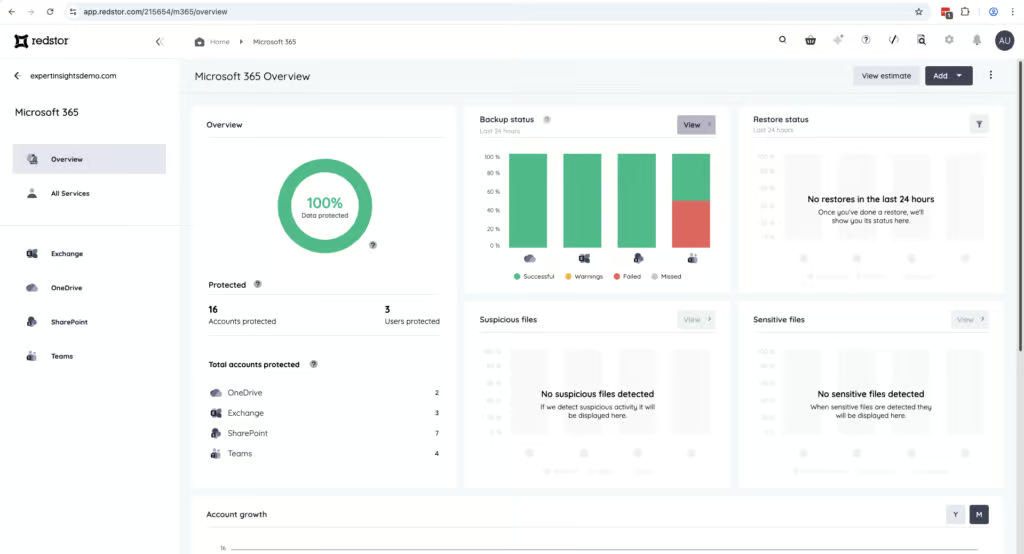
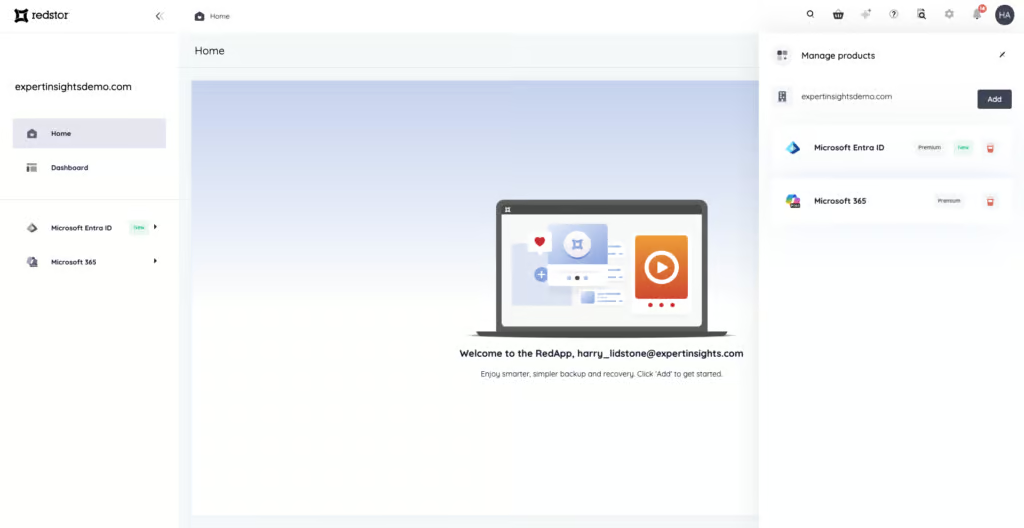
The biggest trade-off we encountered is usability. While the interface looks modern, day-to-day administration often involves inefficient navigation and extra steps to answer basic operational questions. The UI is oversimplified to the point where it actually hinders usability: basic tasks require too many clicks to navigate, and the platform frequently redirects you to an empty home page rather than letting you move smoothly between different companies, tenants, or backup views.
Recovery is reliable and predictable for full mailbox and folder-level restores. But granular search and item-level restore workflows feel limited compared to more M365-focused providers. This is where Redstor’s heritage as a broader data protection platform becomes most apparent.
There are things we really liked though. Redstor stores backups in its own operated regional storage, separate from Microsoft’s infrastructure, which is a strong selling point for data sovereignty. It includes built-in malware scanning across 14 attachment types, and backups are immutable and stored independently of Microsoft Azure.
Overall, if you value regulatory alignment, storage independence, and broad backup coverage over interface polish and streamlined recovery workflows, Redstor is a platform worth serious consideration.
How We Tested Redstor

We tested Redstor by connecting a clean Microsoft 365 tenant and running through our full testing methodology. We set up backups from scratch, granting permissions for each backup task individually. We verified which M365 workloads were protected by default and tested the auto-discovery of users and services.
For recovery testing, we ran full mailbox restores and granular single-item recoveries. We tested the search functionality and restore point selection. We assessed the OTP authentication requirement for restores and evaluated cross-user restore capabilities.
We then tested governance controls including admin permissions and audit logging, verified the notification system, and evaluated the commercial model. This review was conducted fully independently. We have no commercial relationship with Redstor.
Deployment
Ranked #10 out of 12 M365 Backup Solutions for Deployment
Deployment Options
| SaaS | ✓ |
| On-premises (for Microsoft services like Exchange, Active Directory, etc.) | Limited (OS backup only, not on-prem Microsoft services) |
| Hybrid cloud | ✓ |
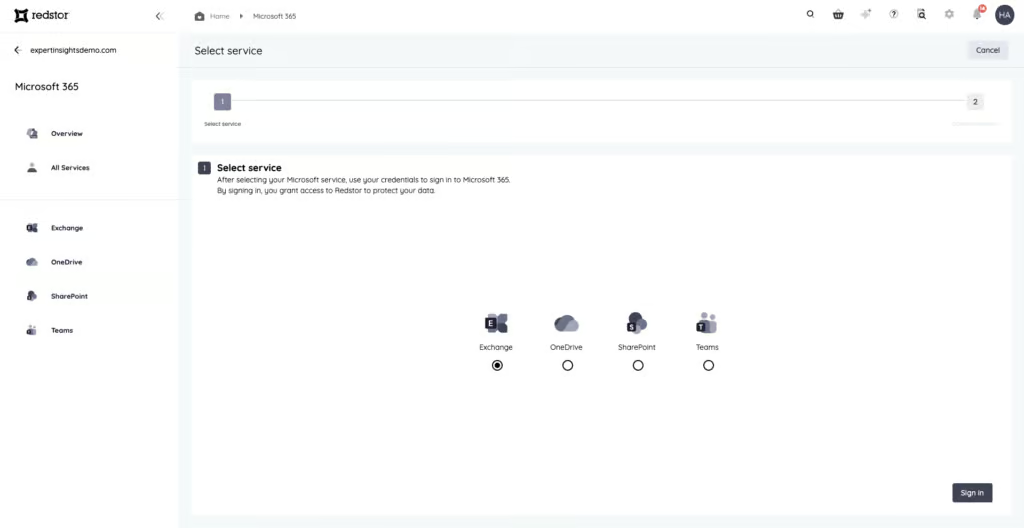
Deploying Redstor is simple, but you do have to grant permissions for each backup task individually — Teams, Exchange, OneDrive, and so on. Most other solutions use a single OAuth consent flow, so this is a bit more work.
The permission-per-service approach does have a benefit though. You can use a different service account for each backup, which is an extra layer of security that some organizations will appreciate.
We did run into some issues with SharePoint. The configuration process initially returned errors, and it took multiple tries to get SharePoint backups working. SharePoint protection did eventually function as expected, but this was a frustrating part of the process.
Once you are up and running, the Notifications tab shows recent backup and restore activity and queued tasks. But this information disappears quickly, which can make it difficult to track progress on longer-running jobs.
Coverage
Ranked #6 out of 12 M365 Backup Solutions for Coverage
Supported Platforms
 Exchange (Outlook) Exchange (Outlook) |
✓ |
 SharePoint SharePoint |
✓ |
 OneDrive OneDrive |
✓ |
 Teams Teams |
Limited - no 1:1 chats |
 Azure VMs Azure VMs |
✓ |
 Entra ID Entra ID |
✓ |
 Dynamics Dynamics |
✗ |
 Power Platform Power Platform |
✗ |
Coverage is one of the strongest areas for Redstor. It includes Exchange Online, SharePoint Online, OneDrive for Business, and Microsoft Teams. However, Redstor does not back up 1:1 Teams chats, which is a gap for organizations that rely on direct messaging for sensitive communications.
Where Redstor really stands out is coverage beyond Microsoft 365. It also supports Entra ID, Azure virtual machines, and Azure Blob Storage. Microsoft now includes a basic Entra ID backup with Entra ID P1 and P2 licenses, but it keeps only seven days of daily backups inside your own tenant. Redstor’s Entra ID backup adds longer retention and a copy held outside Microsoft.
This makes it a very good option if you want to manage M365 alongside infrastructure backups from the same platform. You can start with Microsoft 365 and later add Entra ID and Azure workloads without introducing additional products or management consoles.
This breadth of coverage makes Redstor compatible with wider business needs. If you’re looking for a backup solution that can cover both your cloud services and your infrastructure, Redstor is one of the better options we tested.
Setup requires granting admin permissions separately for each backup service, which adds initial overhead but does allow different service accounts per workload for enhanced security.
Unlicensed user mailboxes cannot be backed up.
Retention
Ranked #3 out of 12 M365 Backup Solutions for Retention
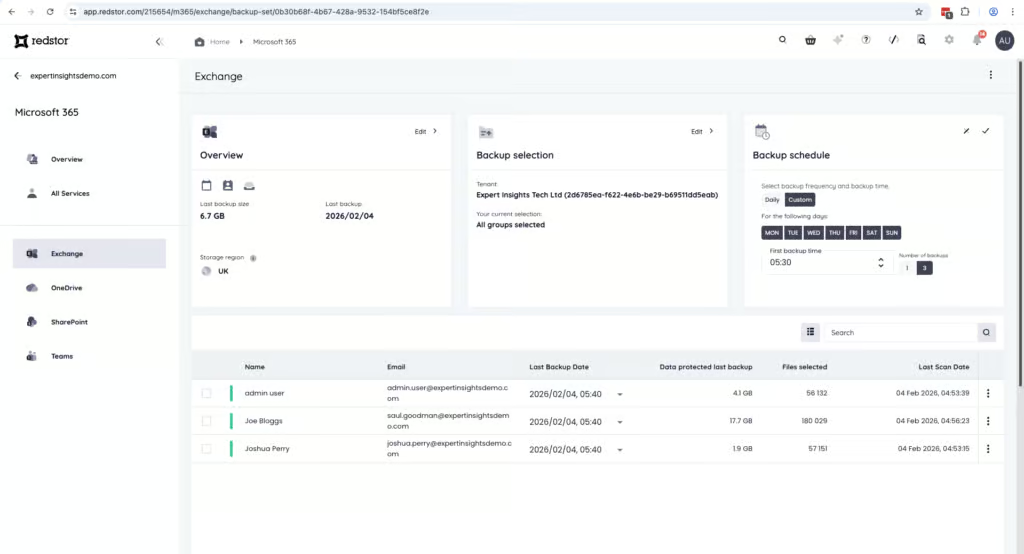
You can create multiple backup sets with different retention policies for the same service, which is helpful. For example, you can tailor policies for regional compliance requirements or different business units.
Data from deleted users is retained, and cross-user restores are supported. If a user is deleted from M365, their account is considered an “inactive seat” in Redstor — the backup account still exists with all historical data, but no new data is backed up. This is a clean approach that makes it easy to manage departing employees.
The main limitation is that retention policy configuration requires MSP or partner-level account access. Direct customers without partner access may find this restrictive if they need to adjust retention settings themselves. This is something to be aware of if you’re not going through an MSP.
Recovery
Ranked #11 out of 12 M365 Backup Solutions for Recovery
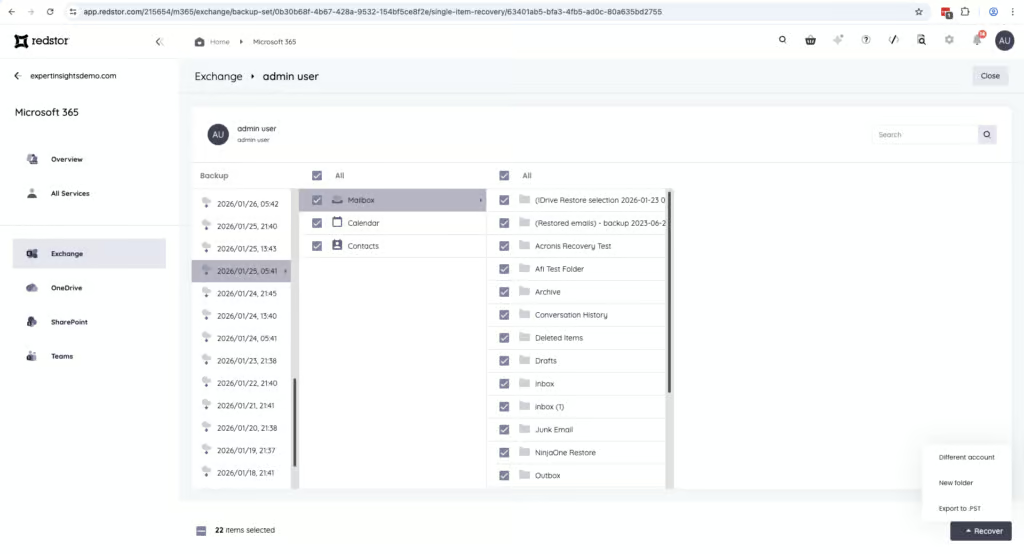
Recovery is reliable for full mailbox and folder-level restores. You can choose a specific date and time snapshot to restore data from, which is straightforward. Cross-user restores are also supported.
The main weakness is granular search. The platform is fine for recovering whole mailboxes or individual folders, but it’s harder to search for specific items to restore. It’s not immediately obvious where to go in the portal to start a granular restore, and the filtering options are limited. In practice, you may need to restore a larger dataset and manually search through the recovered content, which isn’t ideal.
For comparison, OpenText CloudAlly indexes email body content and attachments, NinjaOne supports AND/OR conditions with attachment content search, and even products with metadata-only search like Veeam and Acronis offer more structured filtering. This puts Redstor at the weaker end of search capabilities among the products we’ve tested.
Restored items are always sent to a dedicated folder with no options for placement. This means you’ll need to manually move restored content to its final destination, which adds extra steps.
Something else to be aware of is that performing any restore requires re-authenticating with OTP first. This is a good security feature, but it was a bit of a hassle when we were performing multiple restores. Only users with login access to the Redstor portal can perform restores — there’s no end-user self-service option.
Redstor offers archiving, as a paid add-on or within CyberSentriq’s bundles, that provides more sophisticated search and retrieval functionality. This suggests the base backup product isn’t designed as a full e-discovery or compliance archive solution.
Resilience
Ranked #4 out of 12 M365 Backup Solutions for Resilience
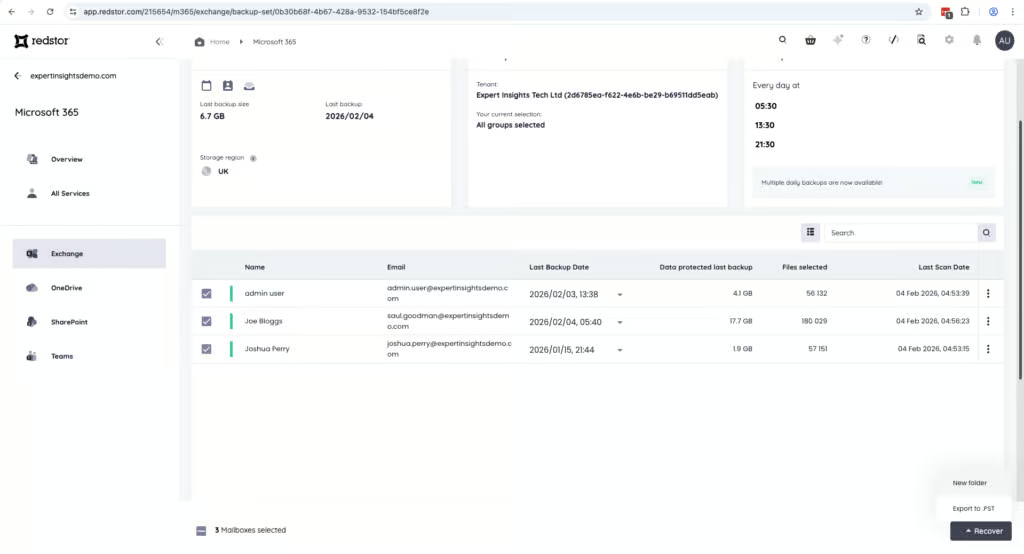
Redstor provides solid resilience with built-in malware scanning, which is still relatively uncommon among M365 backup providers. The platform scans 14 different attachment types and is transparent about what falls outside its scanning scope. Among MSP-focused products, only Redstor and Acronis offer malware scanning, which is a significant differentiator.
Backups are immutable, which protects against deletion or tampering. You can select specific restore points from timestamped snapshots, making it straightforward to identify a known-good recovery point.
Role-based access controls help limit the blast radius if admin credentials are compromised. Combined with Redstor’s control of its own storage, this creates a solid resilience foundation.
Redstor stores Microsoft 365 backup data in its own operated storage, completely separate from Microsoft’s Azure platform. This means that if Azure goes down — which would take Microsoft 365 offline — your backups are still accessible. This is a meaningful advantage over Veeam, which stores backups within Azure and shares the same underlying infrastructure as the production M365 environment. CloudAlly, NinjaOne, and Hornetsecurity also maintain this separation, so infrastructure independence is broadly common among competitors, but it’s still a clear differentiator against Veeam specifically.
Backup Health
Ranked #11 out of 12 M365 Backup Solutions for Backup Health
Backup health monitoring is one of the weaker areas for Redstor. Any failures are displayed in the portal and noted in general daily email notifications if you’ve enabled them. However, there is no real-time alerting, and there’s very little detail on why a failure has occurred.
You can see that something went wrong, but you may need to dig or involve support to understand the root cause. This is frustrating when you’re trying to quickly identify and fix an issue.
MSPs can view dashboards and receive daily or weekly email reports for either individual customers or all customers. Scheduled email reporting was added in February 2026, which helps, though report information still isn’t exportable for formal audits or external reporting.
The Notifications tab shows recent activity and queued tasks, but this information disappears quickly. Dashboards can also take time to refresh after backup or restore activity.
Compared to other products we’ve tested, the backup health monitoring here is well behind the market. Acronis, NinjaOne, and AvePoint all provide much more granular health metrics, real-time alerting, and detailed failure reporting. This is an area where Redstor really needs improvement.
Governance and Security
Ranked #10 out of 12 M365 Backup Solutions for Governance and Security
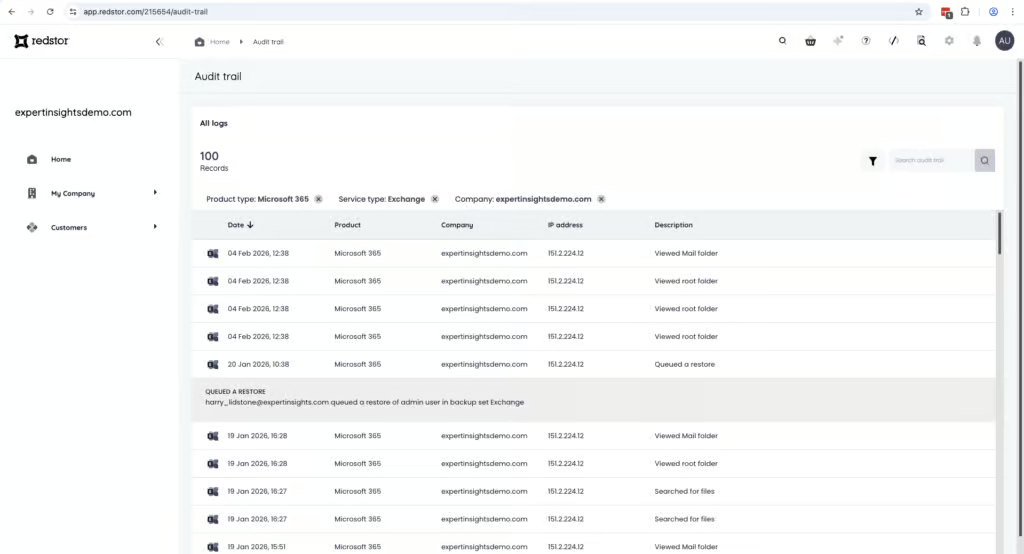
Governance is the other area where Redstor falls short. There is a dedicated menu for user audit logs, but the implementation is weak. You can only view which user completed an action one at a time by clicking each log entry. System-level logs are more difficult to find. And critically, audit logs cannot be exported.
Governance Capabilities
| Public API available | ✓ |
| Multi-Tenancy | ✓ |
| Reporting / Alerts | Limited - daily email notifications and scheduled reports, no real-time alerting |
| Automatic mailbox / site / etc onboarding | ✓ |
| Bulk enable / disable backups | ✓ |
| Self-service recovery (for end users) | ✗ |
This is notably weaker than competing products. NinjaOne provides exportable admin logs with clear role separation, Veeam offers detailed audit and activity logs filterable by user and action, and even Hornetsecurity allows CSV export of audit data. For MSPs that need to produce compliance evidence or pass external audits, Redstor’s non-exportable, minimal-detail logs are a significant limitation.
On the security side, restores require authenticating with OTP, which adds a good security layer. You can give different users access to different backup services as well as permission to take only specific actions. SSO login is supported.
Customer-managed encryption keys (BYOK) are supported: you can hold Redstor’s backup encryption keys in your own Azure Key Vault or AWS KMS.
This is a strong option for organizations with strict compliance requirements that mandate direct control over encryption key management.
Compliance
| Audit Logs | Limited - minimal detail, not exportable |
| Data Center Regions | US, UK, Germany, South Africa, AU, Hong Kong |
| Data Center Infrastructure | Redstor-operated storage, independent of Microsoft Azure |
| Maximum retention period | Unlimited |
| Role-based access controls | ✓ |
| Data encrypted at rest and in transit | ✓ |
| Supports bring-your-own storage | Yes |
| E-discovery / legal hold | No |
Redstor is SOC 2 and ISO 27001 certified with clear GDPR positioning. Data residency options are available, and Redstor stores Microsoft 365 backup data in its own operated storage rather than on Microsoft’s infrastructure.
Commercials
Ranked #5 out of 12 M365 Backup Solutions for Commercials
Pricing
| Free plan available | ✗ |
| Trial available | 30-day trial; 25 Exchange/OneDrive seats per service and 25 SharePoint/Teams sites |
| Seat-based pricing option | ✓ |
| Storage-based pricing option | ✓ |
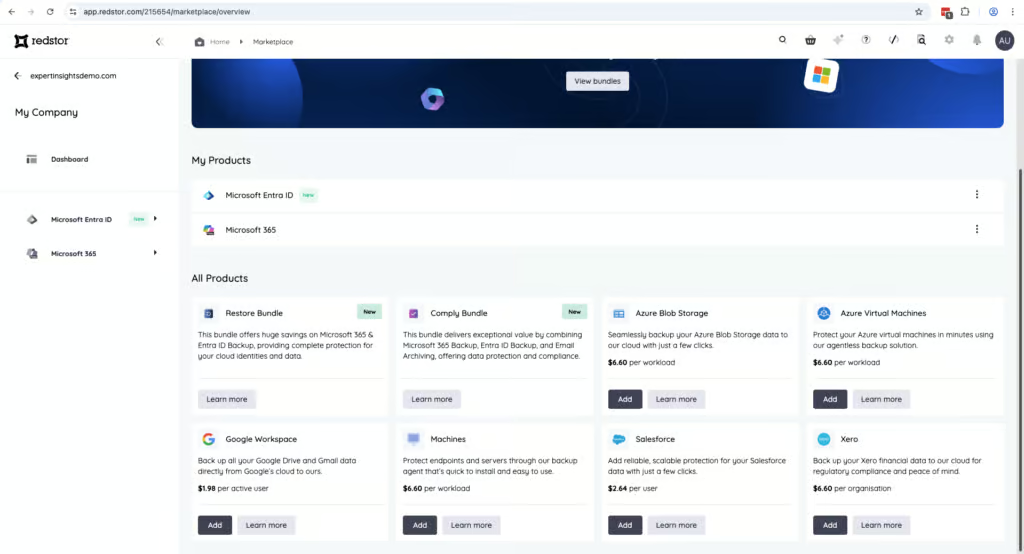
| Starting Price (user / month unless otherwise noted) | $1.98/active user/month, $1.32/inactive user/month |
| Higher Tier Pricing | Not applicable |
Redstor’s pricing is clear and seat-based, with transparent display in the portal. The licensing structure is based on billable seats. For Microsoft 365, a seat consists of an Exchange account and a OneDrive account. Shared mailboxes are only considered seats if they have a corresponding OneDrive account.
Storage is pooled at 50GB per seat, which is reasonable but not generous compared to vendors offering unlimited storage. Organizations with long retention windows or fast data growth will need to monitor capacity.
Support
| Support Locations | US, UK, South Africa |
| Email support | No |
| Phone support | Yes |
| Chat support | Limited - chatbot |
| Web support portal | Yes |
| Support hours (normal priority) | 9am - 5pm PST, BST, and SAST |
| First response SLA (normal priority) | 24 hours |
The portal includes guided tours and easy access to documentation. Support via phone and web is available during regional business hours, with teams based in the US, UK, and South Africa. The chatbot in the Redstor portal can also be used to log a support ticket.
Editor's Score
Ranked #8 out of 12 M365 Backup Solutions for Editor's Score
Redstor is a compliance-first platform with strong coverage including Entra ID and Azure VMs, built-in malware scanning across 14 attachment types, and full infrastructure independence from Microsoft. These are meaningful advantages that set it apart from several competitors.
Among MSP-focused products, only Redstor and Acronis offer malware scanning, which is a significant differentiator for security-conscious environments. The coverage breadth, data sovereignty, and compliance certifications are all very strong.
There are areas that need improvement. Audit logs have minimal detail and cannot be exported, which is a serious limitation for teams with formal compliance reporting requirements. The backup health monitoring also lacks the depth and real-time alerting we’ve seen from other products. And the UI, while functional, adds friction to daily administration that more polished alternatives avoid entirely.
But we think Redstor’s strengths outweigh its weaknesses. For MSPs and mid-market organizations who need compliance, data sovereignty, and storage independence, Redstor is a strong option to consider.
Who Redstor is for: MSPs managing multiple tenants in regulated environments, mid-market organizations prioritizing compliance and data sovereignty, teams that need M365, Entra ID, and Azure backup in one platform, organizations that value UK/EU data residency and storage independent of Microsoft.
Who should look elsewhere: Teams that prioritize interface usability, companies requiring exportable audit logs for compliance reporting, users wanting end-user self-service restore capabilities, teams that need strong granular search for e-discovery.
Read the full review
Enter your work email to unlock the full review.
Check your email
We sent a 6-digit code to . Enter it below to continue.