
Veeam M365 Backup Review 2026: Hands-On Testing

Tested March 2026. Retested October 2026. Updated October 2026.
Bottom Line
Veeam Data Cloud is one of the most well-rounded Microsoft 365 backup platforms we've tested. We think a strong fit for organizations that want powerful recovery and enterprise-grade RBAC without the complexity of a full enterprise product. The platform caters to almost every company, offering comprehensive coverage across M365, Entra ID, and Azure workloads with one of the best RBAC implementations we've tested.
Overall Rating Summary
Read our M365 testing methodology to learn more.
Pros
- Broad M365 coverage, with Entra ID on Advanced and Premium plans (Azure and Salesforce sold separately)
- Granular Role Based Access control with custom role creation
- Excellent bulk restore capabilities
- Intuitive interface which is easy to use
- Self-service restore for end users
- Fast search across every restore point of a mailbox
- 24/7 support included with every plan
Cons
- Standard backups run once per day; 10-minute Express backups need the $7 Premium plan
- Admins can’t search email body text
- Top level audit logs of all workloads are not exportable (you can export individual workload logs)
- Relies on Azure cloud storage for backups and recovery, which is the same infrastructure as M365
- Threat detection needs the Advanced or Premium plan
Veeam Data Cloud is a market leader in the M365 backup space, and we were impressed in our review of the service.
We retested Veeam Data Cloud in October 2026 and found the product has matured since our first test in March. Search is much faster, policies now show included objects as well as exclusions, and the console is easier to use day to day.
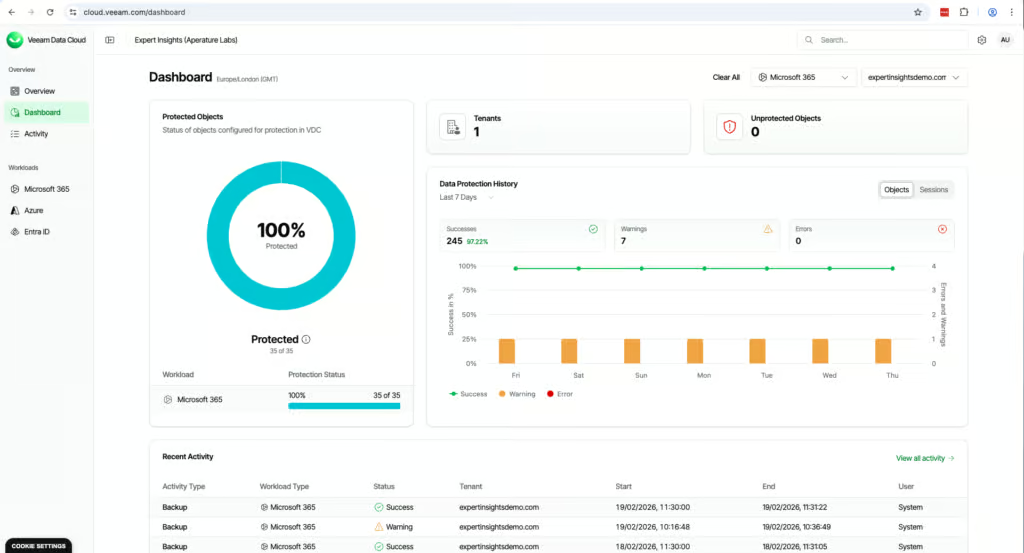
Veeam’s background is in on-premises enterprise backup, but they have transitioned to cloud apps. The cloud dashboard is very clean and modern and the solution is easy-to-use. We think it’s a good mid-way point between SMB focused backup tools like OpenText CloudAlly, and more enterprise solutions like AvePoint. There’s a balance between the granularity and usability.
The interface isn’t lightning fast, but it handles large amounts of data well. The restore experience is particularly impressive and it actually looks like the Outlook interface, which makes navigation feel familiar and intuitive.
Veeam Data Cloud offers two types of backup policy, Flex and Express. Flex is a fully featured backup mode powered by Veeam, with backups every 24 hours. Express, available on the Premium plan, integrates with Microsoft 365 Backup Storage and creates recovery points every 10 minutes, with quicker restores and no rate-limiting.
You can create different policies and mix these modes for different sets of data depending on your requirements, which is very helpful to have on offer. Plans can be mixed within a tenant, so you can put only the users who need 10-minute recovery points on Premium.
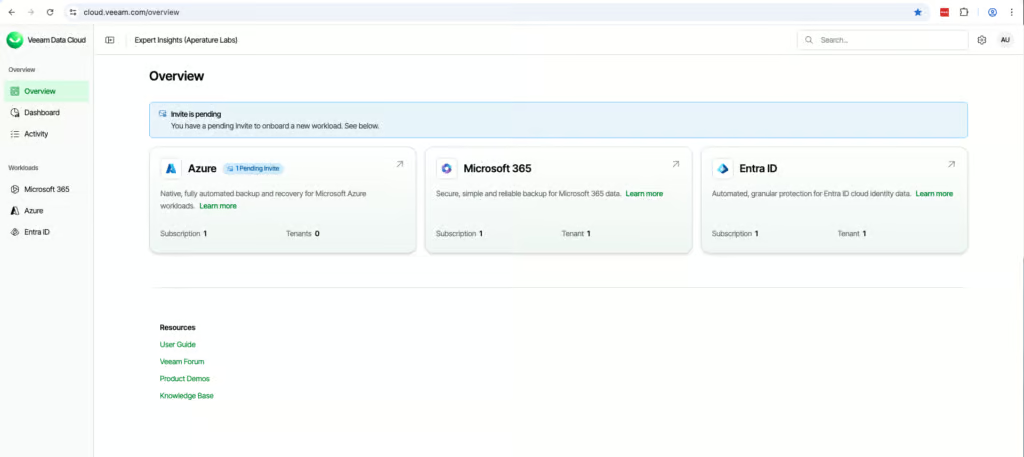
Coverage is strong, with support for the whole M365 suite including Exchange, SharePoint, OneDrive, and Teams, plus Entra ID and Azure. Entra ID is included in the Advanced and Premium plans, and Azure is a separate Veeam Data Cloud product.
There is one limitation to be aware of: Veeam stores backup data in Microsoft Azure. This means that if there was a major Azure outage, you could lose access to both your production environment and your backups. This is a challenge, especially for teams with strict disaster recovery requirements.
Veeam told us every customer gets a named contact during onboarding, and tenants above 1,000 users are supported through its Customer Success team. Every plan includes 24/7 production support.
Veeam is an all-rounder that could be used by organizations of all sizes, with comprehensive coverage for M365, including apps like Entra ID and Azure workloads. The role-based access controls (RBAC) are some of the best implementations we’ve seen.
How We Tested Veeam
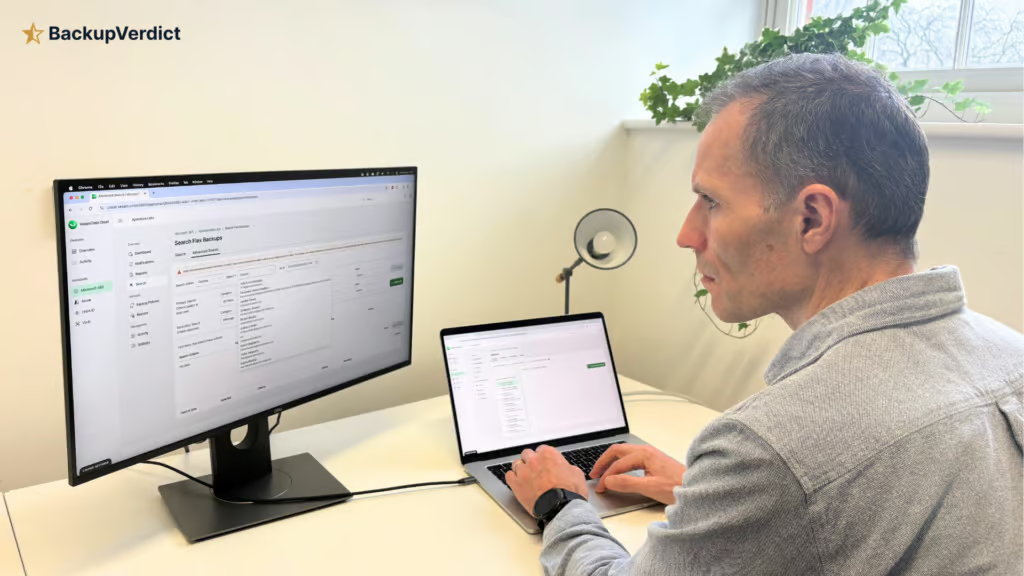
Veeam provisioned us with a trial account for testing the service. We set up all backups from scratch, and recorded the time taken to reach a successful backup. We tested all of the areas covered by Veeam and set up custom backup policies.
Once deployed, we ran full mailbox restores and conducted single-item recoveries. We completed a full mailbox restore and timed how long it took data to appear back in M365. We also tested the bulk restore feature and the ‘Compare with Production Feature’.
We also tested governance controls, activity logs and reporting. We spoke to Veeam’s team and considered their feedback on this review before publishing.
As with all of our backup reviews, this review is fully independent and consists entirely of our own opinions. We have no commercial relationship with Veeam. You can read our full testing methodology here.
Deployment
Ranked #4 out of 12 M365 Backup Solutions for Deployment
Deployment Options
| SaaS | ✓ |
| On-premises (for Microsoft services like Exchange, Active Directory, etc.) | ✓ |
| Hybrid cloud | ✓ |
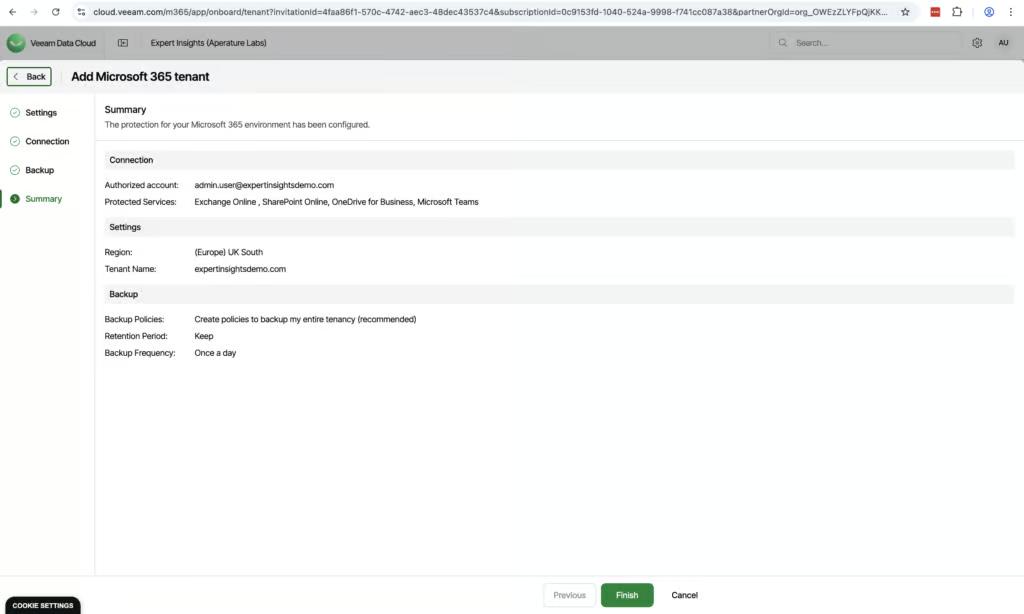
Onboarding Veeam is straightforward, though it does work slightly different to other backup solutions we’ve tested. We had to authenticate our Global Admin permissions twice, and paste a code into Microsoft to get things up and running. Overall, though, the process is well-designed and easy, with good prompts. It took us about 15 minutes to set up our account and create a backup policy. Veeam automatically picks up new users and auto-provisions licenses, which is helpful.
When setting up your account, you can create a backup policy for the entire tenant (which Veeam recommends) or manually create your own policies. If you decide to create your own, you do get more granular control over backup jobs, retention policies, and visibility into what’s included. But the recommended path is simpler and will probably suit the needs of most organizations.
Throughput is approximately 1TB per 24 hours for initial backups which is consistent with Microsoft’s Graph API rate limits and broadly in line with the industry standard. Veeam told us every customer gets a named onboarding contact, regardless of organization size. Our testing was conducted without any support, but it is available if you need it.
Veeam also provides a session log, which shows all actions taking place within the running backup and their status (Success, Running, or Error). You can see backup percentage and download the session log as CSV, which is a really helpful feature.
Coverage
Ranked #2 out of 12 M365 Backup Solutions for Coverage
Supported Platforms
 Exchange (Outlook) Exchange (Outlook) |
✓ |
 SharePoint SharePoint |
✓ |
 OneDrive OneDrive |
✓ |
 Teams Teams |
✓ |
 Azure VMs Azure VMs |
Yes - separate Veeam Data Cloud product |
 Entra ID Entra ID |
Yes - Advanced and Premium plans (or $1.08/user standalone) |
 Dynamics Dynamics |
✗ |
 Power Platform Power Platform |
✗ |
Coverage is excellent – Veeam protects M365 (including Exchange, SharePoint, OneDrive and Teams), Entra ID, Azure and Salesforce. Entra ID backup is included in the Advanced and Premium plans (or $1.08 per user on its own), while Azure and Salesforce are separate Veeam Data Cloud products. The interface for managing these workloads is clean and it’s easy to switch between them.
Veeam’s Entra ID backup covers users, groups, roles, applications, administrative units and audit logs by default. Conditional Access policies, Intune policies, devices and contacts each need switching on, and Entra ID backups run once a day.
Compare & Restore lets you roll back individual fields, such as a group’s membership rule, without touching the rest of the object. Microsoft now includes a basic Entra ID backup with Entra ID P1 and P2 licenses, but it keeps only seven days of daily backups inside your own tenant. Veeam’s Entra ID backup adds longer retention and a separate copy managed by Veeam.
1:1 Teams chats are supported, which isn’t always the case with other backup providers. This feature needs to be configured separately, but overall setting up Teams backups was very straightforward. You only need one set of admin permissions, and you can apply pre-existing backup policies to Teams.
Veeam does exclude unlicensed user mailboxes by default. Unlicensed shared mailboxes can be backed up, which does not consume a Veeam license.
Veeam supports Public Folders, and there is a good amount of customization when creating policies for Public Folder backups, for example you can exclude some items if needed. Public Folder backup depends on Microsoft’s Exchange Web Services (EWS), which Microsoft is planning to retire in April 2027.
Retention
Ranked #3 out of 12 M365 Backup Solutions for Retention
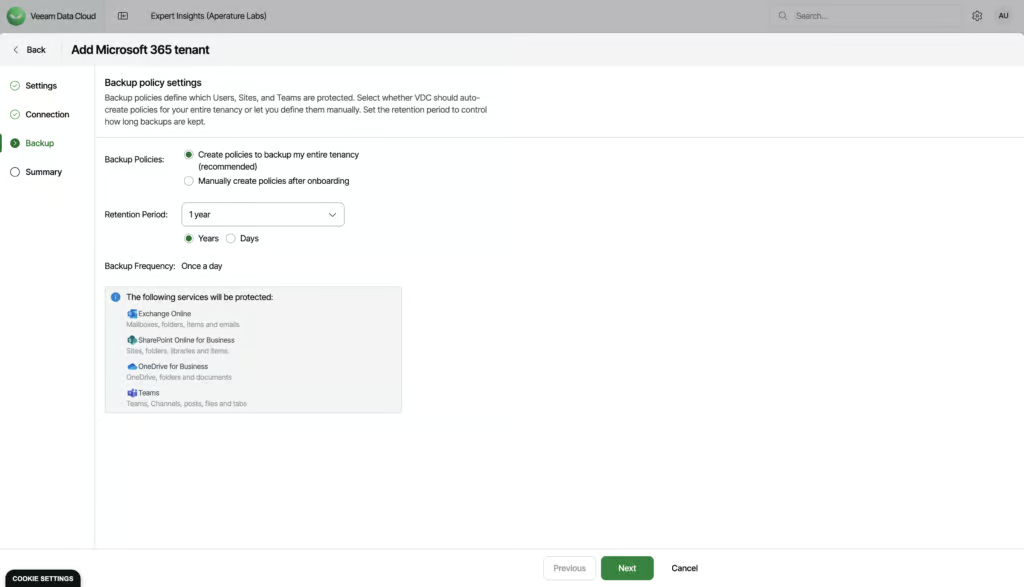
By default, Veeam keeps data for seven years. However, if you need to, you can set the backup repository’s retention length up to unlimited. This is ideal if you have some specific compliance requirements to meet.
As mentioned, retention policies can be set up for the entire tenant during onboarding or configured for each workload afterwards.
If you need different retention periods for different groups of users, you should select the second option during onboarding. This wasn’t immediately obvious to us when we deployed, but it may be easier if you have your support contact on hand to help with deployment.
Using the manual policy builder, you can to create multiple backup jobs, each with their own retention policy. You can also use groups for dynamic scoping and set a catch-all group to capture everything new that comes through.
This option gives much more granular control, so is a good option for more advanced teams.
One drawback is that standard (Flex) backups run once per day. For more frequent recovery points you need Express policies on the $7 Premium plan, which create recovery points every 10 minutes.
Because plans can be mixed within a tenant, you could put executives or finance on Premium and leave everyone else on a cheaper plan.
Recovery
Ranked #2 out of 12 M365 Backup Solutions for Recovery
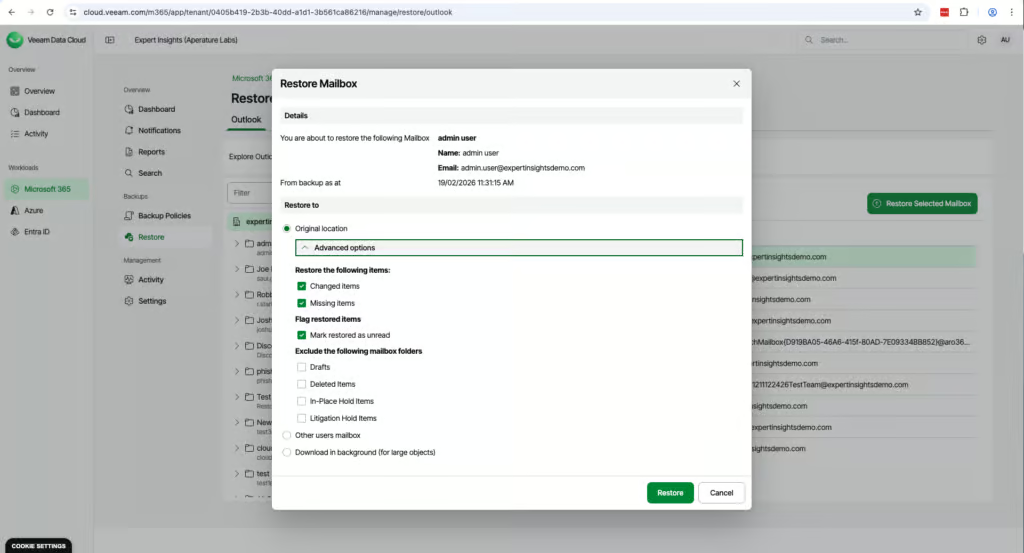
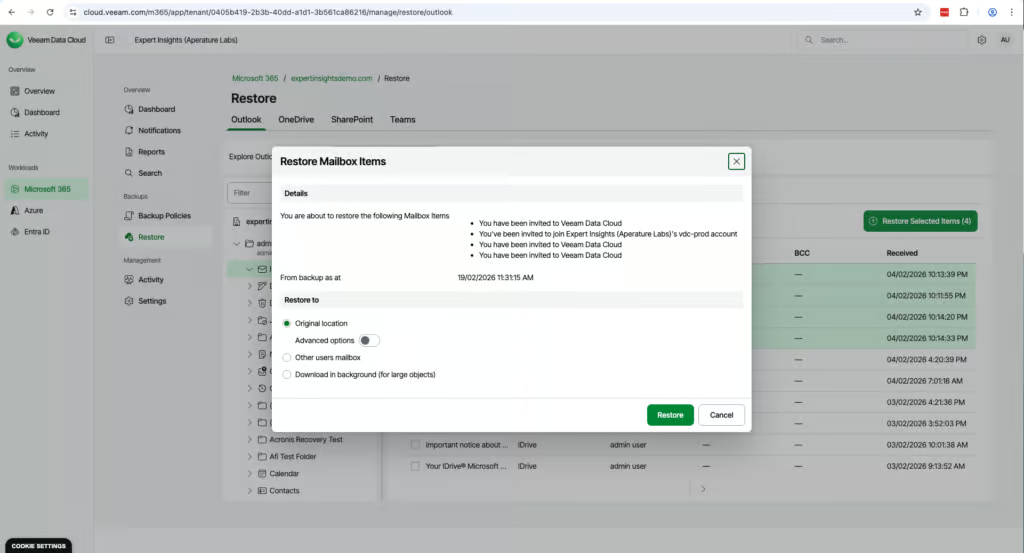
Recovering a mailbox is very simple. The interface is very cleanly designed and has a dedicated ‘Restore’ tab, which puts everything you need in one place. The layout mirrors Outlook, so it’s familiar to navigate backed up mailboxes. You can browse backups over time with a calendar view, making it very easy to find a mailbox and choose the right restore point.
Veeam also offers a search option to help you recover individual items. You can filter by message fields, size, date and recipients. Search is limited to metadata however rather than the actual body content of message or attachments. These are not indexed in the search platform.
Search has improved significantly this year, with a new search module released in March. A search across every restore point of one mailbox returned 46,060 results almost instantly, with filters for sender, recipients and time period across Outlook, OneDrive, SharePoint and Teams.
Veeam says the new index covers data from March 31, 2025 onward. Veeam doesn’t search email body text, and older data uses a slower direct search mode. Veeam has also announced Intelligent ResOps, a paid add-on built on its Securiti AI acquisition for targeted restores; it wasn’t generally available at the time of writing.
Bulk restoration is available and very easy to execute. In just three clicks you can restore multiple mailboxes back to their original location. There are granular options and policies available for bulk recovery as well: for example you can restore only missing or changed items or exclude drafts. This is a standout feature.
Veeam is a snapshot-based backup service, so if a mailbox is deleted the data is kept safe. You can restore deleted mailbox data to another user. Multi-mailbox restore jobs restore to the original locations only.
We restored a test mailbox to a folder in another mailbox. The restore started at 12:24pm and completed at 12:25pm. Items began populating almost immediately. The Notifications tab displayed timestamps and detailed logs of the activity.
Veeam also supports self-service restore for Outlook and OneDrive, so end users can login and restore their own files if needed, once an administrator enables self-service.
Resilience
Ranked #2 out of 12 M365 Backup Solutions for Resilience
Veeam is a mature and credible vendor which can be trusted to protect your data. Veeam has recently announced a new suite of threat protection capabilities for backup, which are generally available as of March 2026. This includes:
Anomaly-based detection: A new system that tracks individual data and user behavior across OneDrive, SharePoint and Teams. It establishes a baseline and automatically detects anomalies such as ransomware attacks or mass file encryption (Veeam says this needs about 45 days of backup history).
Signature-based malware scanning: Scans for known malicious extensions, file types, and signatures during the backup process.
We weren’t able to directly test these features, but they are strong product developments. They are included in the Advanced and Premium plans, but not in the entry-level Foundation plan.
One limitation as we see it for Veeam is that all backup data is stored in Microsoft Azure. This means in the event of a significant Azure outage, you could simultaneously lose access to your production M365 environment and your backups.
There is no option to bring your own storage or redirect backups to a different provider. By contrast, CloudAlly, Acronis, and Hornetsecurity all store backups independently of Azure.
Backup Health
Ranked #5 out of 12 M365 Backup Solutions for Backup Health
Veeam provides good monitoring for backup health, with clear alerting, though it could do more to explain why a backup has failed.
During our testing, SharePoint backups began failing. The dashboard showed that backups were failing, but not why, and the reports didn't show what was failing either. To find the cause, you have to click into the failing backup policy, open the failed backup session log, find the failed item and hover over it to see the actual error. Alternatively, you can download the session log as a CSV. Either way, it took some digging to find that SharePoint was the problem. We'd like to see Veeam surface these errors directly in the dashboard. If it does, we'd expect to raise this score.
By default, you'll get email alerts if a backup fails, but you can also configure Teams messages. It's easy to configure who gets messaged, and you can also set up alerts when backups complete successfully, when a backup is restored, or if your license count changes.
There are five pre-defined reports that cover backup policies, failures, plans, restores and user protection. These are delivered as Excel spreadsheets and can be built on demand or regularly scheduled. There isn't much customization on offer, and as noted above, they don't show the cause of a failure. But the pre-built reports offer a good level of detail for day-to-day oversight and will do the job for most teams.
Governance and Security
Ranked #2 out of 12 M365 Backup Solutions for Governance and Security
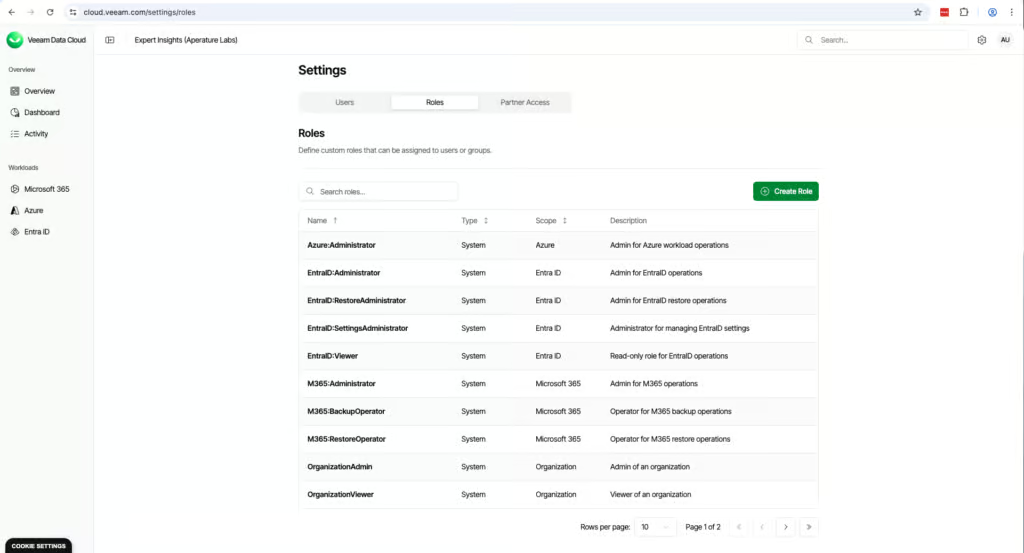
Governance and security is a standout area for Veeam. We think it has the best role-based access controls of any of the solutions we’ve tested. You can create very granular custom roles. For example, you can only allow a user access to view restore points for Outlook. You can also assign one admin for SharePoint, another for Teams, etc., all in two clicks. Custom roles cover Microsoft 365 only; Entra ID uses five fixed roles.
Governance Capabilities
| Public API available | ✓ |
| Multi-Tenancy | ✓ |
| Reporting / Alerts | ✓ |
| Automatic mailbox / site / etc onboarding | ✓ |
| Bulk enable / disable backups | ✗ |
| Self-service recovery (for end users) | ✓ |
Veeam supports Microsoft Single Sign-On and multi-factor authentication. Veeam’s Trust Center lists ISO 27001, ISO 27017, ISO 27018 and SOC 2 certifications, and you can restrict portal access to specific IP ranges.
In terms of governance, audit logs are detailed and well laid out. You get a top-level overview of the whole tenant, and individual views for each workload which has information on who has completed what tasks. These reports can be exported once per month and easily filtered by user, object or action.
You can’t export the top-level audit reports, which is a limitation, so if you wanted the data on everything at a glance, you’d have to export each workload individually. There is an option for this if you use Veeam’s on-premises deployment option.
Compliance
| Audit Logs | ✓ |
| Data Center Regions | Global (Azure regions) |
| Data Center Infrastructure | Azure |
| Maximum retention period | Unlimited |
| Role-based access controls | ✓ |
| Data encrypted at rest and in transit | ✓ |
| Supports bring-your-own storage | No |
| E-discovery / legal hold | No |
Data residency options cover Americas, EMEA, and Asia-Pacific, with customers able to select their preferred Azure region. This is fewer named locations than Acronis (50+) but provides regional flexibility for most compliance requirements.
Commercials
Ranked #5 out of 12 M365 Backup Solutions for Commercials
Pricing
| Free plan available | ✗ |
| Trial available | ✓ |
| Seat-based pricing option | ✓ |
| Storage-based pricing option | ✗ |
| Starting Price (user / month unless otherwise noted) | Foundation $2.63/user/month at 251+ users, billed annually; smaller tiers cost more |
| Higher Tier Pricing | $7.00 |
Veeam is very competitively priced for an enterprise-level solution. Pricing starts at $2.63 per user per month for M365-only protection on the Foundation plan at 251 or more users ($3.50 at 10–50 users and $3.15 at 51–250).
The Advanced plan adds Entra ID and threat detection from $3.33, and Premium adds Express backups at $7. This compares well to Acronis at $3.48/user/month, though CloudAlly is cheaper at $30 per licensed mailbox per year (about $2.50 per month).
Storage is functionally unlimited under a fair use policy that allows 100GB per Microsoft 365 user, pooled across the tenant. Veeam may charge only if total use exceeds 300% of the allowance.
Veeam told us every customer gets a named onboarding contact, and its documentation routes tenants above 1,000 users through its Customer Success team.
We were unable to test support capabilities as the trial account did not allow submitting support requests — this is locked behind having a paid subscription. Veeam includes 24/7 production support with every plan.
Support
| Support Locations | Global |
| Email support | Yes |
| Phone support | Yes |
| Chat support | No |
| Web support portal | Yes |
| Support hours (normal priority) | 24 hours |
| First response SLA (normal priority) | Production targets—6 hours for Severity 3, 8 hours for Severity 4 |
Editor's Score
Ranked #1 out of 12 M365 Backup Solutions for Editor's Score
Veeam is an all-rounder which effectively balances granular functionality without sacrificing ease-of-use for admins. We would recommend it for organizations of all sizes as a strong M365 backup tool. Between our first test in March 2026 and our retest in October 2026, the product has clearly matured, with faster search and easier day-to-day use.
There are limitations. Search can’t look inside email body text, though it has become much faster since our first test, and performance can be slower when dealing with large data sets. We’d also like to see more options for bringing your own storage rather than being limited to just Azure.
But the bulk restore capabilities, role-based access controls and the intuitive admin interface are stand out features which explains Veeam’s position as a market leader in this space.
Who it’s for: Teams looking for M365, Entra ID and Azure backup, teams who need granular RBAC controls, teams that need mass mailbox restore capabilities.
Who should look elsewhere: Teams that need multiple backups per day without paying for the Premium plan, teams who want to store data outside of Azure, and teams that need email body search for e-discovery.
Read the full review
Enter your work email to unlock the full review.
Check your email
We sent a 6-digit code to . Enter it below to continue.